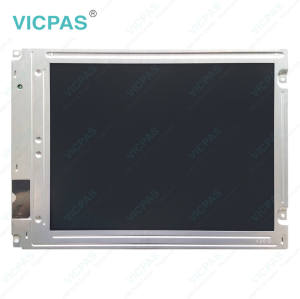
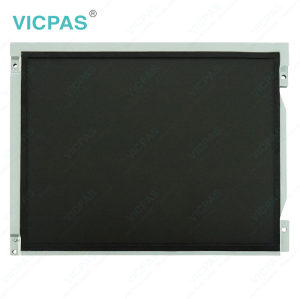
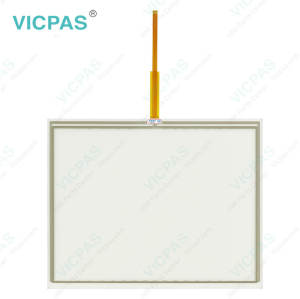
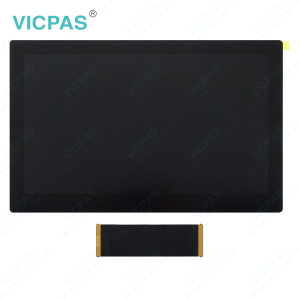
PH41224459 REV A Touch Screen Panel Monitor Glass
- Model
- PH41224459 REV A
Item specifics
- Touch screen panel type
- Resistive touch screen
- Shipping
- 3-4 workdays
- Warranty
- 365 Days
- Touch points
- Single-touch
- Related Part No.
- PH41224459 REV A Touch Screen Panel Repair
- Name
- PH41224459 REV A
Review
Description
John Deere PH41224459 REV A LCD Display Touch Screen Tablet Repair Replacement
Order each part separately is available

The PH41224459 REV A Touch Digitizer and LCD Display Assembly is a replacement display component for compatible John Deere equipment. When the original screen assembly develops touch input problems, visible damage, or display abnormalities, replacing both the touchscreen and LCD screen offers a practical repair solution. This replacement helps restore touch operation and visual display functions without necessarily requiring replacement of the entire display unit.
For agricultural equipment maintenance and display refurbishment, the PH41224459 REV A Touch Screen Panel and LCD Display provide a convenient alternative to replacing the complete terminal. Suitable for touchscreen and LCD repair applications, this assembly helps address issues such as an unresponsive touch panel, screen damage, or display problems. Before purchasing, verify the original part number, screen dimensions, and connector configuration to help confirm compatibility with your existing equipment.
VICPAS supplies PH41224459 REV A Touch Digitizer Glass LCD Screen for John Deere extended monitor repair and maintenance. All units are brand new and come with a 365-day warranty.
Specifications:
The table below describes the parameters/Specifications of the PH41224459 REV A LCD Screen Touch Screen Monitor.
| Product Line: | John Deere |
| Application: | Agricultural Equipment |
| Warranty: | 12 months |
| Part Number: | PH41224459 REV A |
| Condition: | Brand New |
| Screen Diagonal: | 7'' |
Related John Deere HMI Part No. :
| John Deere Monitor HMI Repair | Description | Inventory status |
| PH41180581 LB08080085-01 | John Deere Touch Screen Tablet LCD Display Panel | In Stock |
| PH41208508-B-P0A1B-102B | John Deere Touch Panel Glass LCD Screen Repair | Available Now |
| PH41209509 LT104AC54000 | John Deere LCD Screen Touch Panel Replacement | In Stock |
| PH41212236 Rve.C | John Deere LCD Display Touchscreen Replacement | Available Now |
| PH41212236 Rve.C P1644-0703-1283 | John Deere Touch Screen Monitor LCD Display Panel | In Stock |
| PH41224499 REV.A | John Deere Touch Digitizer LCD Screen Replacement | In Stock |
| PF81431 | John Deere Touch Screen Glass LCD Display Repair | In Stock |
| PH41224328 Rev. C P5751-0708-0345 | John Deere LCD Display Screen Touchscreen Repair | Available Now |
| PH60227251 Rev C | John Deere Touch Screen Display LCD Display Panel | Available Now |
| PH41224496 REV.A P4528-0522-0608 | John Deere LCD Screen Touch Screen Panel Repair | In Stock |
| PH41224496 REV.A P4B78-1120-0303 | John Deere LCD Display Touch Digitizer Glass Repair | In Stock |
| PH41231525 Rev.B P7459-0407-0672 | John Deere Touch Membrane LCD Screen HMI Parts | Available Now |
| PH41209515 Rev.H | John Deere Touch Screen Panel LCD Display Repair | In Stock |
| PH41224459 REV A | John Deere LCD Display Touch Screen Replacement | Available Now |
| PH41217979 Rev.A | John Deere Touch Screen Monitor LCD Display Repair | In Stock |
| John Deere Display HMI | Description | Inventory status |
FAQ:
Question: How to install the PH41224459 REV A MMI Touch Screen LCD Display?
Answer: Turn off the display and disconnect the power supply before installation. Carefully remove the existing touchscreen, disconnect its ribbon cable, and install the replacement touch panel using the original connector. Secure the panel, reassemble the display, and test the touch functionality after powering on.
Question: Is the PH41224459 REV A HMI Panel Glass compatible with all John Deere displays?
Answer: The PH41224459 REV A HMI Touch Glass LCD Screen is designed for compatible John Deere extended monitors. Compatibility may vary by display version and configuration. Please check the original part number and connector type before ordering, or contact us for compatibility confirmation.
Question: What if the PH41224459 REV A Touch Membrane is unresponsive after replacement?
Answer: Check that the ribbon cable is properly connected and securely fitted. Make sure the touchscreen is correctly positioned and the connector is free from damage or debris. If the issue persists, verify model compatibility and inspect the display connection. If necessary, contact our support team for further assistance.
Common misspellings:
PH41222459 REV A
PH41224459 RFV A
PH41224455 REV A
PH4124459 REV A
PH411224459 REV A