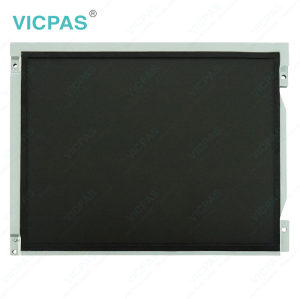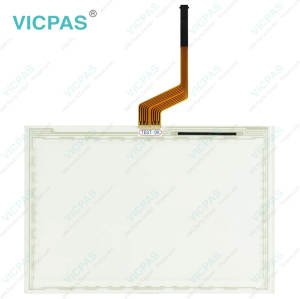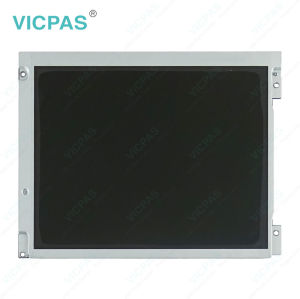
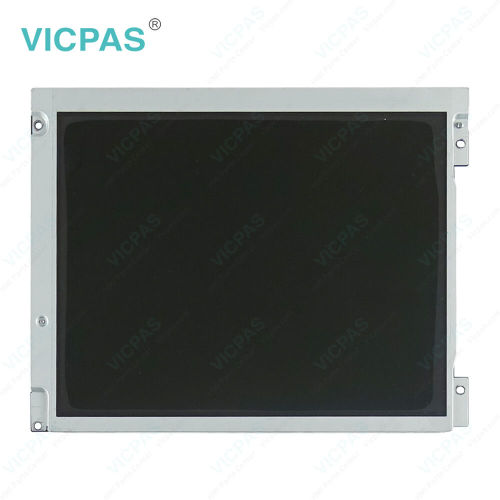
PH41231525 Rev.B P7459-0407-0672 Touch Screen Panel Monitor Glass
- Model
- PH41231525 Rev.B P7459-0407-0672
Item specifics
- Touch screen panel type
- Resistive touch screen
- Shipping
- 3-4 workdays
- Warranty
- 365 Days
- Touch points
- Single-touch
- Related Part No.
- PH41231525 Rev.B Touch Screen Panel Glass Repair
- Related Part No.
- P7459-0407-0672 Touch Screen Panel Glass Repair
- Name
- PH41231525 Rev.B P7459-0407-0672Touch Screen Glass
Review
Description
Supply PH41231525 Rev.B P7459-0407-0672 Touchscreen Panel LCD Display for Repair Replacement
Order each part separately is available
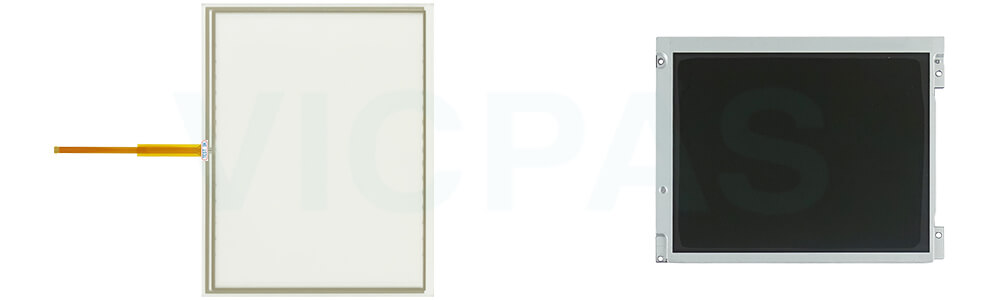
VICPAS supply touch screen panel and Lcd display for PH41231525 Rev.B P7459-0407-0672 repair replacement, all of them are brand new with 365 days VICPAS warranty.
The 4640 offers the latest John Deere display technology in a moveable and user-friendly Gen 4 experience. Providing enhanced usability, increased performance, and greater operator choice, the 4640 Universal Display delivers value by offering all that is available with the 4240 as well as precision application of multiple products simultaneously with individual coverage maps and application points, fully automated headland turns with AutoTrac Turn Automation, passive Autotrac implement guidance and the ability to share coverage map and guidance lines seamlessly with up to six machines.
Improved operating experience for older John Deere tractors and mixed fleets
Enhanced data merging capabilities deliver more on-board and off-board flexibility
Improved data capture and collection capabilities – providing more accurate Section Control performance and documentation
Precisely apply multiple products simultaneously with individual coverage maps and application points
Setup and startup operations easily with improved display navigation
Improved Gen 4 applications such as AutoTrac™ assisted steering system, Section Control, and documentation increase producer profitability all with a moveable display experience
More information about PH41231525 Rev.B P7459-0407-0672 download the PH41231525 Rev.B P7459-0407-0672 operator's Manual PDF
Specifications:
The table below describes the parameters/Specifications of the PH41231525 Rev.B P7459-0407-0672 Touchscreen Panel Glass LCD Display.
| Part Number: | PH41231525 Rev.B P7459-0407-0672 |
| Product Line: | John Deere |
| Warranty: | 365 Days |
| Input Power: | 24 VDC |
| Operating Temp.: | -20° to 70° C (-4° to 158° F) |
| Storage Temp.: | -40° to 85° C (-40° to 185° F) |
| Input Type: | Touchscreen |
| Connectivity: | USB 2.0 |
Related John Deere Monitor Series Part No. :
| John Deere Monitor | Description | Inventory status |
| PH41180581 LB08080085-01 | John Deere Touch Screen Tablet LCD Display Panel | In Stock |
| PH41208508-B-P0A1B-102B | John Deere Touch Panel Glass LCD Screen Repair | Available Now |
| PH41209509 LT104AC54000 | John Deere LCD Screen Touch Panel Replacement | In Stock |
| PH41212236 Rve.C | John Deere LCD Display Touchscreen Replacement | Available Now |
| PH41212236 Rve.C P1644-0703-1283 | John Deere Touch Screen Monitor LCD Display Panel | In Stock |
| PH41224499 REV.A | John Deere Touch Digitizer LCD Screen Replacement | In Stock |
| PF81431 | John Deere Touch Screen Glass LCD Display Repair | In Stock |
| PH41224328 Rev. C P5751-0708-0345 | John Deere LCD Display Screen Touchscreen Repair | Available Now |
| PH60227251 Rev C | John Deere Touch Screen Display LCD Display Panel | Available Now |
| PH41224496 REV.A P4528-0522-0608 | John Deere LCD Screen Touch Screen Panel Repair | In Stock |
| PH41224496 REV.A P4B78-1120-0303 | John Deere LCD Display Touch Digitizer Glass Repair | In Stock |
| PH41231525 Rev.B P7459-0407-0672 | John Deere Touch Membrane LCD Screen HMI Parts | Available Now |
| PH41209515 Rev.H | John Deere Touch Screen Panel LCD Display Repair | In Stock |
| PH41224459 REV A | John Deere LCD Display Touch Screen Replacement | Available Now |
| PH41217979 Rev.A | John Deere Touch Screen Monitor LCD Display Repair | In Stock |
| John Deere Display | Description | Inventory status |
John Deere 4640 Gen 4 Universal Display Manual Brochure PDF Download:
FAQ:
Question: How to turn the John Deere 4640 Gen 4 Universal Display On/Off Monitor
Answer: The display will turn on and off with the vehicle key switch.
There is no on/off switch on the John Deere 4640 Gen 4 Universal Display because it must remain powered to display vehicle or implement system alarm messages whenever required. The display can be put into dim mode for transport by selecting the Home button for 4 seconds. Selecting any button will bring the display out of transport mode.
The display saves some types of settings and data automatically, and the rest are saved during PROPER SHUTDOWN and also during data transfer to a USB drive. Proper shutdown is accomplished by turning off the vehicle key switch. The Status LED remains orange until the display is shut down.
Unplugging the harness before the LED light is black may result in loss of data and settings.
• Warm boot - occurs when the display has been operated in the last 21 days and has NOT lost unswitched power anytime during the last 6 hours. Warm boot is indicated by a yellow progress bar with a green outline.
• Cold boot - may take longer for the display to power up (around 30 seconds). Cold boot is indicated by a green progress bar with a yellow outline.
Question: How to use a screen protector on the John Deere 4640 Gen 4 Universal Display?
Answer: The use of a screen protector is recommended to prevent wear to the touchscreen surface. Screen protector kits, made specifically for GS2 displays, can be purchased through your local John Deere dealer.
Screen protector has been preinstalled on the touch panel of your display. Removing the protector reduces the sunlight readability of the display. Please see the instructions for replacement when necessary.
Question: What is the PH41231525 Rev.B P7459-0407-0672 touchscreen LCD Screen price?
Answer: Submit a fast quote, send VICPAS an email for best price.