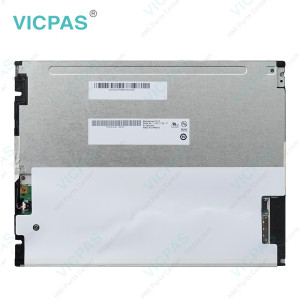
Case IH AFS Pro 700 Holland IntelliView GPS Display Touch
- Model
- Case IH AFS Pro 700 Display
Item specifics
- Brand
- Case IH
- Warranty
- 365 Days
- Product Line
- Case IH AFS Pro 700 series
- Supply
- Case IH AFS Pro 700 Touch Glass Repair Parts
- Model
- Color Display Fred II 51479019
Review
Description
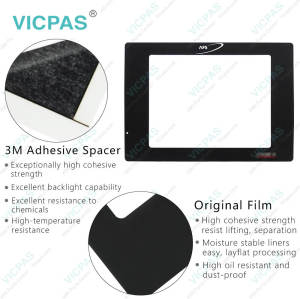
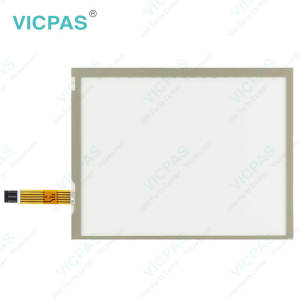
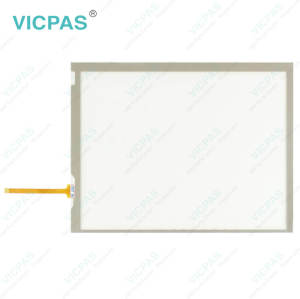
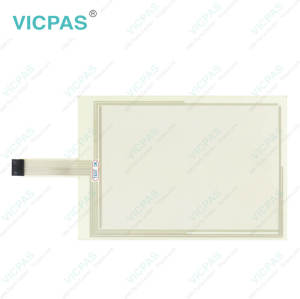
Case IH AFS Pro 700 Color Display Fred II 51479019 LCD Panel Touch Membrane Repair
Order each part separately is available

The Case IH software applications that are available for the AFS Pro 700 Touch Screen Monitor display Color Display Fred II 51479019 take full advantage of its layered architecture. It supports vehicle software, farming software (for example, harvesting, planting, etc.), and extended feature software (for example, “Precision Farming,” “Trip Computer,” etc.) that you can layer together on your display.
The AFS Pro 700 LCD Color Display Fred II 51479019 display can be used with Case IH tractors, combines, cotton pickers, sprayers, balers, planters, seeders, and tillage to control and monitor key functions and track important information. AFS products such as AccuGuide, AccuGuide All-Makes, AccuControl, AccuStat, RowGuide, and ISO Task Controller utilize the AFS Pro 700 Touch Panel display. VICPAS supplies the Case IH AFS Pro 700 Trimble Touchscreen display with a 365-day warranty and urgent worldwide shipping.
Specifications:
The table below describes the parameters of the Case IH AFS Pro 700 New Holland IntelliView IV 51479019 LCD Display.
| Part Number: | Case IH AFS Pro 700 |
| Display Type: | STN |
| Warranty: | 365 Days |
| Input Power: | +24 VDC +/-20% |
| Storage Temperature: | -20°C to 60°C |
| Product Line: | Case IH |
Related CASE IH Part No. :
| CASE IH HMI | Description | Inventory status |
| Trimble FMX FM-1000 | Trimble Membrane Keypad Touchscreen Repair | In Stock |
| Trimble Slate | Trimble Keyboard Membrane Touch Screen Monitor | In Stock |
| Trimble T10 Tablet | Touch Screen Glass Operator Keyboard Trimble | Available Now |
| Trimble TCU3 | Trimble Touch Digitizer Glass Membrane Switch | In Stock |
| Trimble TCU5 | Trimble Touch Screen Panel Keypad Membrane | In Stock |
| Trimble TSC2 AMT98636 | Trimble Touch Screen Glass Membrane Keyboard | In Stock |
| Trimble TSC3 AMT10476 | Touch Digitizer Glass Trimble Membrane Keypad | Available Now |
| Trimble TSC7 | Trimble Membrane Keyboard Keypad Replacement | In Stock |
| Trimble YUMA 2 Rugged | Terminal Keypad HMI Panel Glass Trimble Repair | Available Now |
| CASE IH HMI | Description | Inventory status |
FAQ:
Question: What do I need to connect a Raven controller to my AFS Display?
Answer: Please contact your dealer to ensure that the appropriate software is loaded to your AFS display. Additional cabling is required. The power/data cable (P/N 87732647) is available from your Case IH dealer. A Raven null modem cable will need to be sourced from Raven. If you are using a 100 series Raven controller (440, 460, etc.), use Raven null modem P/N 115-0159-822. If you are using a 1000 series Raven controller (4000, 4600, etc.), use Raven null modem P/N 115-0171-395.
Question: How do I check what software versions are installed on my AFS display?
Answer: To check the software versions installed on your AFS display, go to Home > Diagnostics > Version.