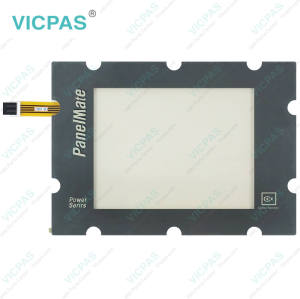
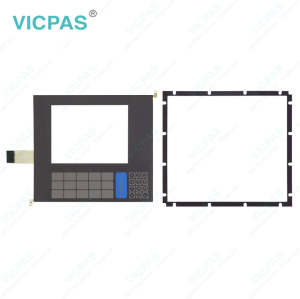
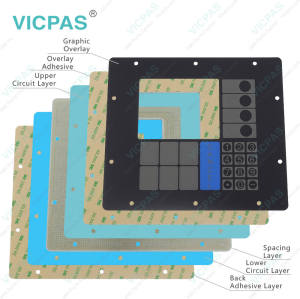
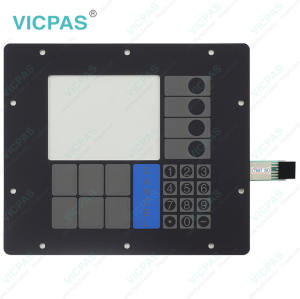
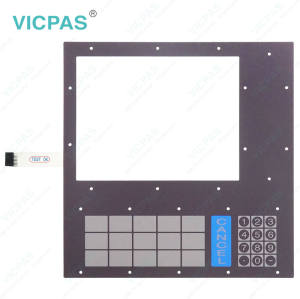
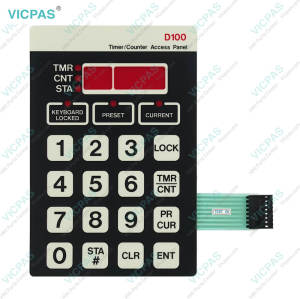
PanelMate Cutler Hammer 1155T PMP 1100 92-01974.02 CUTLER HAMMER 1550 PM 1500 Power Series 92-01755-01 Touchscreen Overlay
- Model
- PanelMate Cutler Hammer 1155T PMP 1100 92-01974.02 CUTLER HAMMER 1550 PM 1500 Power Series 92-01755-01
Item specifics
- Product Line
- Cutler-Hammer Panelmate
- Warranty
- 1 Year
- Shipping Time
- 3-5 Days
- Supply Parts
- HMI Touch Glass Protective Film
- Environment
- Free From Corrosive Gases
- LCD Size
- 7.4''
Review
Description
Eaton PanelMate Cutler Hammer 1155T PMP 1100 92-01974.02 CUTLER HAMMER 1550 PM 1500 Power Series 92-01755-01 HMI Touch Glass Protective Film Repair

Regular maintenance is essential to keep your Eaton Cutler Hammer PanelMate Cutler Hammer 1155T PMP 1100 92-01974.02 CUTLER HAMMER 1550 PM 1500 Power Series 92-01755-01 Touch Screen Monitor Protective Film operating in optimal condition. The surface of the unit should be cleaned as needed using a common non-abrasive cleaning product to maintain clear visibility and proper PanelMate Cutler Hammer 1155T PMP 1100 92-01974.02 CUTLER HAMMER 1550 PM 1500 Power Series 92-01755-01 Protective Film Touch Digitizer Glass performance. It is also recommended to perform system health checks every 3 to 6 months, including Display Tests and Membrane Keypad Tests, to ensure all functions are working correctly, or it will do damage to Eaton Panelmate PanelMate Cutler Hammer 1155T PMP 1100 92-01974.02 CUTLER HAMMER 1550 PM 1500 Power Series 92-01755-01 Front Overlay Touch Screen Film.
In industrial environments, especially where dust is present, the unit should ideally be installed in a closed enclosure. If the device is exposed, accumulated dust on internal circuit boards should be carefully removed using forced air on a periodic basis. Always disconnect power before performing any internal cleaning.
In addition, regular inspection of Cutler Hammer Panels PanelMate Cutler Hammer 1155T PMP 1100 92-01974.02 CUTLER HAMMER 1550 PM 1500 Power Series 92-01755-01 Touch Screen Tablet Front Overlay is recommended. If any signs of wear, damage, or reduced responsiveness are detected, timely replacement is advised to maintain reliable operation.
Specifications:
The table below describes the parameters of Eaton PanelMate Cutler Hammer 1155T PMP 1100 92-01974.02 CUTLER HAMMER 1550 PM 1500 Power Series 92-01755-01 Touch Screen Panel Protective Film.
| Cooling Method: | Natural Air Cooling |
| Operating Temperature: | 0 °C ... +50 °C |
| Product Line: | Cutler-Hammer Panelmate |
| Relative Humidity: | 95% |
| Storage Temperature: | -20 °C ... +60 °C |
| Environment: | Free From Corrosive Gases |
| Brand: | Vicpas |
| Shipping Time: | 3-5 Days |
| LCD Size: | 7.4'' |
| Warranty: | 365 Days |
Related Eaton Cutler-Hammer Panelmate Part No. :
| Cutler-Hammer Panelmate HMI | Description | Inventory status |
| Cutler-Hammer Panelmate HMI | Description | Inventory status |
Eaton Cutler-Hammer Panelmate Manuals PDF Download:
FAQ:
Question: How do I adjust the display contrast?
Answer: Units equipped with grayscale or dual-scan color displays feature software-controlled contrast adjustment.To adjust the contrast, follow these steps:
1)Place the unit in Run Mode
2)Select the Get Page control button from the default control buttons
3)Select the More control button
4)Select the Setup Page control button
5)Select the Adjust Contrast control button and use the Lighter and Darker control buttons to adjust the display's contrast.
To save the new setting, press the Save Setting control button.To revert to the previous contrast setting, press the Cancel key.The unit will return to the last saved contrast level after power is cycled to the unit.
Question: What is important when reinstalling the PanelMate unit after replacing PanelMate Cutler Hammer 1155T PMP 1100 92-01974.02 CUTLER HAMMER 1550 PM 1500 Power Series 92-01755-01 Front Overlay Touch Membrane?
Answer: After replacing a damaged touchscreen or membrane keypad, proper installation is important to ensure reliable sealing and stable operation. When tightening the mounting nuts, avoid both under-tightening and over-tightening. The fasteners should be tightened enough to create a proper seal, but excessive force may strip the threads or damage the gasket. For best installation results, using a torque wrench is recommended when reinstalling the PanelMate unit.
Common misspellings:
PanelMate Cutler Hammer 1155T PPM 1100 92-01974.02PanelMate Cutler Hammer 1155T PMP 11100 92-01974.02
PanelMate Cutler Hammer 1155T PMP 1100 920197402
CUTLER HAMMER 1550 PM 1500 Power Series 92-0175-01
CUTLER HAMMER 1550 PM 1500 Power Series 92-01755-11
CUTLER HAMMER 1555 PM 1500 Power Series 92-01755-01