Pro-face GP270 Troubleshooting Guide: Common Problems, Causes & Solutions
- Share
- Issue Time
- Nov 25,2026
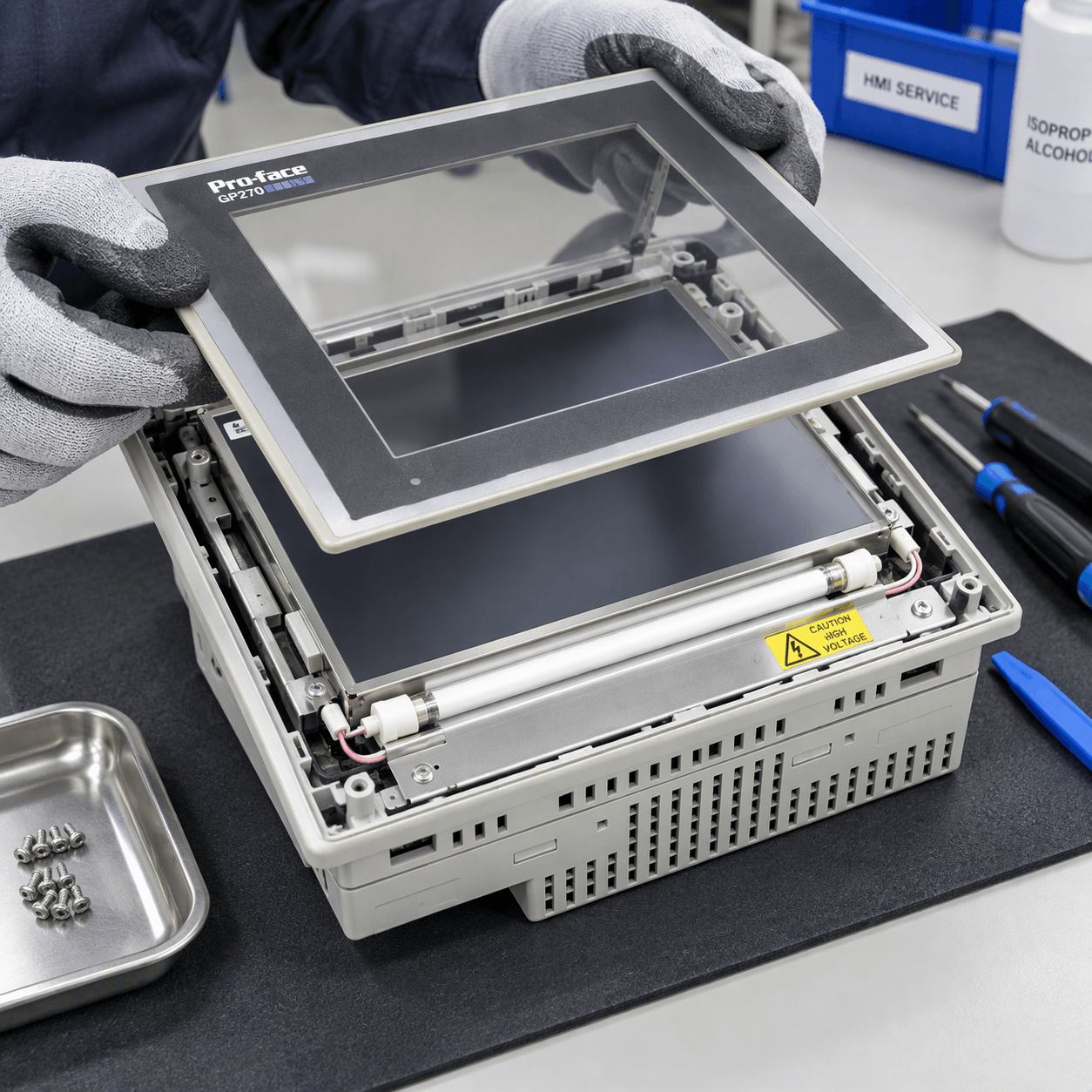
Pro-face GP270 Troubleshooting Guide: Common Problems, Causes & Solutions
Table of Contents
- 1. Black Screen / No Display (Power Light On)
- 2. White Screen, Frozen Logo, or Distorted Display
- 3. Touch Screen Unresponsive, Inaccurate, or Drifted
- 4. No Communication with PLC / “PLC NOT CONNECTED”
- 5. System Freeze, Frequent Reboots, or Transfer Failures
- Preventive Maintenance Tips for Pro-face GP270 Panels
- Reliable Replacement Parts for Legacy Pro-face GP270 HMIs
- Conclusion
- References
The Pro-face GP270 series (including models such as GP270-LG11-24V, GP270-LG21-24VP, GP270-LG31-24V, GP270-SC11-24V, GP270-SC21-24VP, and GP270-SC31-24V) remains a workhorse in many industrial environments decades after its introduction. These compact 4.7-inch monochrome or STN color HMIs with 320×240 resolution continue to control machines, monitor processes, and interface with PLCs via RS-232/RS-422.
When a GP270 starts showing problems—black screen, unresponsive touch, communication failures, or system freezes—production can stop. This guide draws on the official GP270 Series User Manual, Pro-face transfer FAQs, field repair experience, and community discussions to provide clear symptom–cause–solution guidance.
Whether you maintain legacy equipment or support plants still running these panels, the steps below will help you diagnose issues efficiently and restore operation with minimal downtime.
1. Black Screen / No Display (Power Light On)
Symptoms
- Power LED is lit, but the screen stays completely dark.
- In some cases a faint image is visible when a bright light is shone at an angle.
Common Causes
- Failed CCFL backlight or inverter/high-voltage board (most frequent on aging units).
- Power-supply issues on the internal board (unstable secondary voltages).
- Damaged LCD module or loose internal ribbon cables.
Solutions
- Verify 24 VDC supply at the terminal is stable (ideally ≥22 V under load).
- Power-cycle the unit and check for any brief flash on startup.
- If a faint image is visible under external light, the backlight/inverter is the primary suspect.
- Replace the backlight assembly or the complete display module.
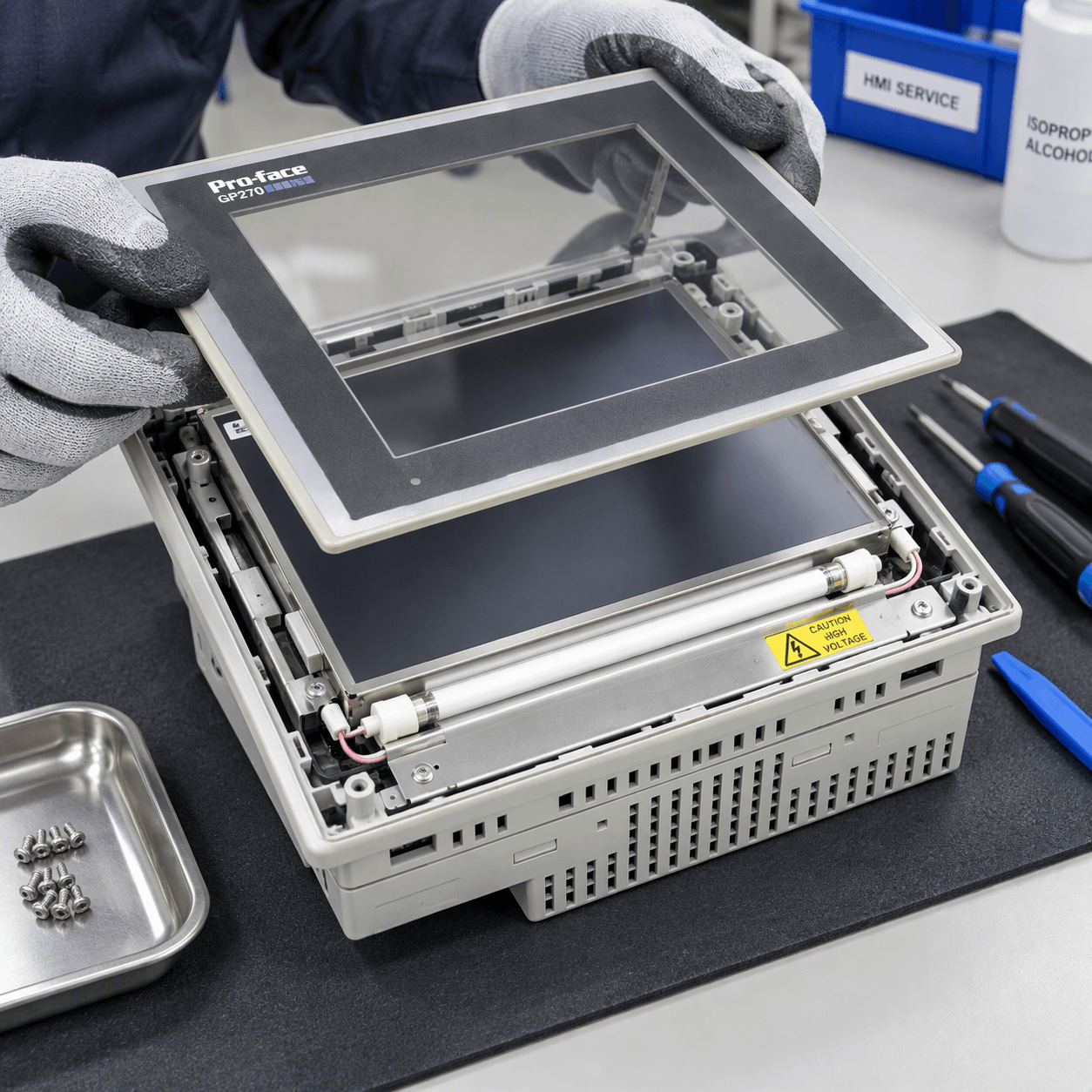
For reliable replacement display components, protective films, and front overlays compatible with GP270 models, many maintenance teams turn to specialized suppliers such as VICPAS. VICPAS stocks touch screens and front overlays for the entire GP270 series with a 12-month warranty and worldwide shipping.
2. White Screen, Frozen Logo, or Distorted Display (Stripes, Blur, Flicker)
Symptoms
- Solid white screen.
- Screen freezes on the Pro-face logo or shows horizontal/vertical stripes, color distortion, or intermittent flickering.
Common Causes
- Faulty LCD driver circuitry or degraded display module.
- Corrupted runtime data in flash memory (often after power interruption during transfer).
- Loose or oxidized internal display cables.
- Aging capacitors on the main board causing unstable power to the LCD.
Solutions
- Enter Offline/Maintenance Mode (typically by touching specific screen corners during power-up—refer to the official manual for exact sequence).
- Attempt a memory initialization if the unit allows it (note: this erases the project).
- Re-transfer a known-good project from a backup .PRW or .MEM file using the proper Pro-face transfer cable and GPmnt30.exe (or GP-Pro EX Project Converter for migration).
- If the display hardware is confirmed faulty, replace the LCD module.
3. Touch Screen Unresponsive, Inaccurate, or Drifted
Symptoms
- Touch does not register, registers in the wrong location, or only works in certain areas.
- Calibration fails or drifts quickly.
Common Causes
- Worn resistive touch overlay (very common after years of industrial use).
- Lost or corrupted calibration data after a transfer or power event.
- Damaged touch controller or ribbon cable.
- Contaminants or physical damage to the touch surface.
Solutions
- Enter Maintenance Mode and run the 2-point or multi-point calibration routine.
- Clean the screen thoroughly and check the touch ribbon cable connection.
- If calibration does not hold or the overlay is physically damaged, replace the touch screen digitizer.
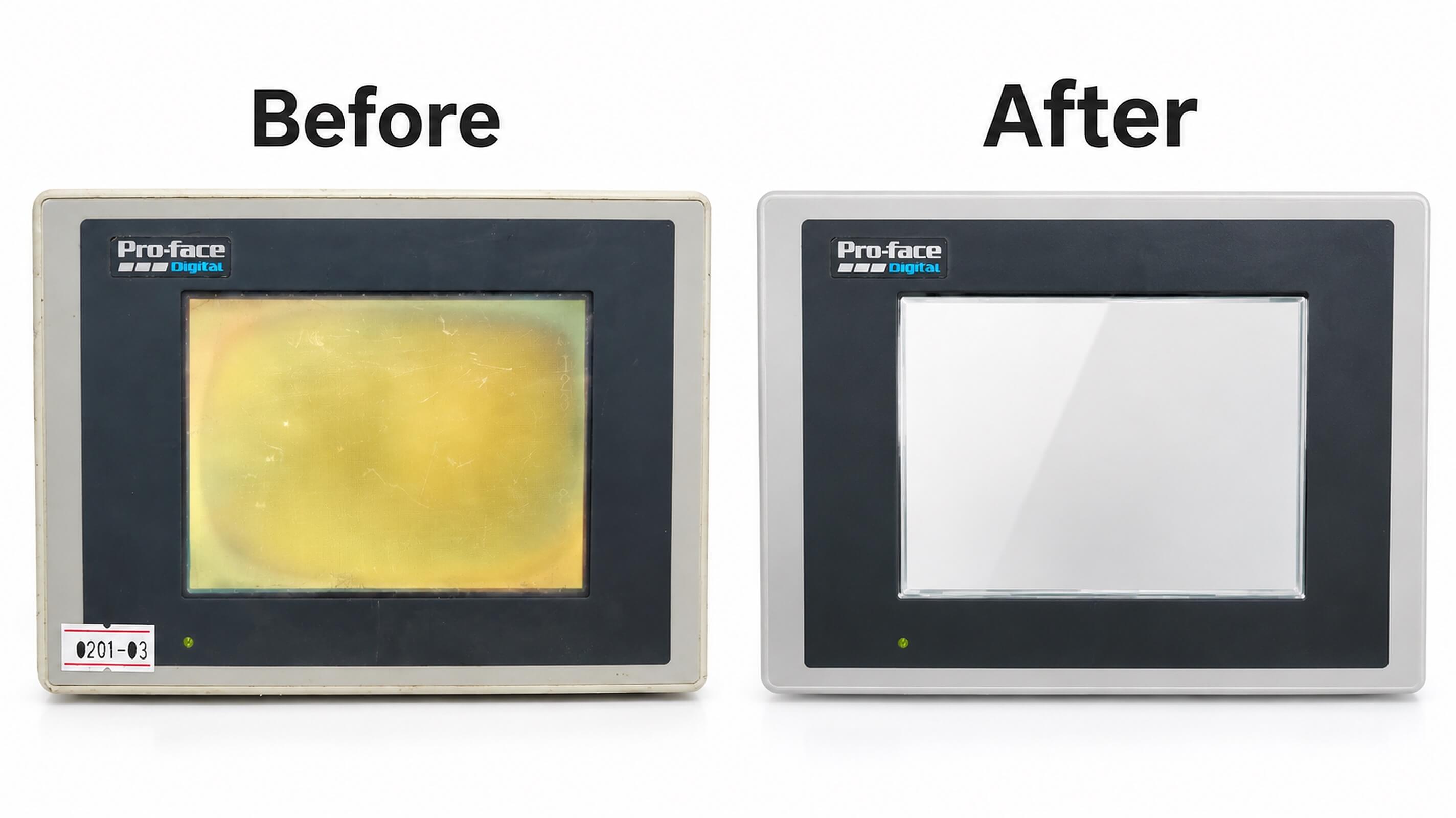
VICPAS supplies high-quality replacement touch overlays and front assemblies for GP270-LG and GP270-SC models. These parts are designed for direct fit and are backed by a one-year warranty, helping plants avoid the high cost and long lead times of full panel replacement.
4. No Communication with PLC / “PLC NOT CONNECTED” or Similar Errors
Symptoms
- Error messages such as “PLC NOT CONNECTED (02:FF / 02:F7)”, “Handshaking ERROR – GP not Responding”, or general communication timeouts.
- HMI runs but data does not update.
Common Causes
- Incorrect cable (using a PLC programming cable instead of the Pro-face tool/transfer cable).
- Wrong communication parameters (baud rate, parity, PLC type, COM port).
- Loose or damaged RS-232/RS-422 wiring, or electrical noise.
- Project driver settings lost or defaulted after a restore.
Solutions
- Confirm you are using the correct Pro-face transfer cable (PSB-type pinout) for program transfer and the proper PLC communication cable for runtime.
- Double-check project settings in GP-PRO/PBIII: PLC type, port, baud, parity.
- Verify physical connections and terminate shields properly.
- Power-cycle both HMI and PLC, then re-transfer the project if necessary.
- Consult the GP270 User Manual chapter on RUN Mode and Errors for the exact flowchart corresponding to the error code.
5. System Freeze, Frequent Reboots, or Transfer Failures
Symptoms
- Unit locks up during operation.
- Continuous beeping with black screen after transfer.
- Transfer tool reports “No Response”, “0-byte file”, or “Write Error”.
Common Causes
- Corrupted flash memory from under-voltage or interrupted transfer.
- Incompatible project version or incorrect transfer mode entry.
- Firmware or runtime image mismatch.
Solutions
- Force Transfer Mode by holding the top-left corner of the screen while applying power.
- Use a known-good backup. Prefer keeping both the editable .PRW and the last successful .MEM image.
- If the panel is partially responsive, attempt a Receive operation to recover the existing runtime before overwriting.
- For units that appear “bricked,” contact experienced support; in many cases the logic board can still be recovered or the display/touch components reused.
Preventive Maintenance Tips for Pro-face GP270 Panels
- Keep a verified project backup (.PRW + .MEM) offline.
- Monitor 24 VDC supply quality; industrial power dips are a frequent root cause of flash corruption.
- Replace aging touch overlays and protective films proactively before they fail completely.
- Avoid using non-Pro-face transfer cables.
- Document the exact firmware revision and software version used for each panel.
Reliable Replacement Parts for Legacy Pro-face GP270 HMIs
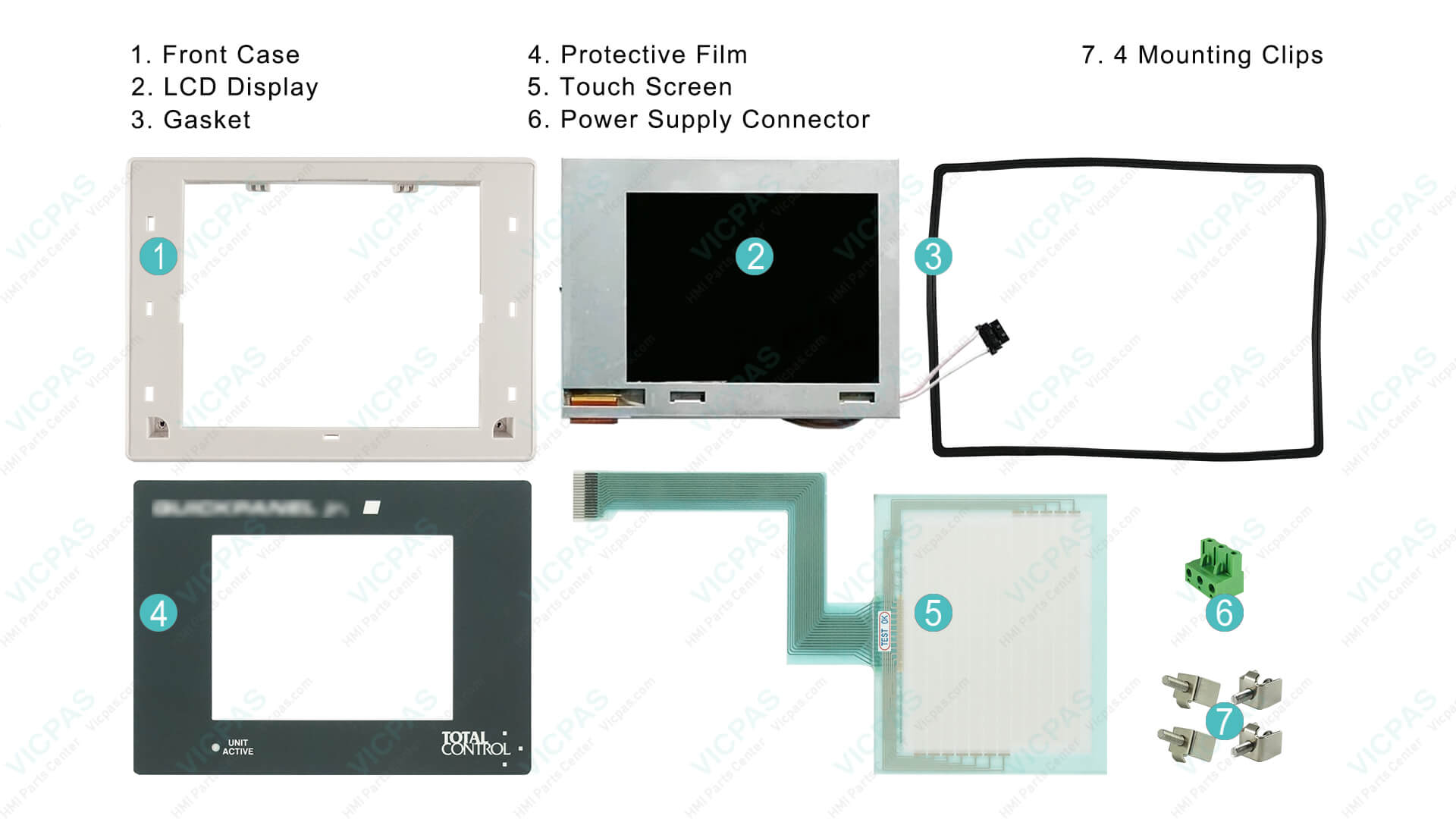
When hardware components reach end of life, full panel replacement is often expensive and unnecessary. Many facilities successfully extend the service life of their GP270 units by replacing only the failed modules—touch digitizer, protective film, front case, or display assembly.
VICPAS (VICPAS Touch Technology Co., Ltd.) specializes in HMI spare parts for Pro-face and other major brands. With over 20 years of experience, a large inventory of GP270-compatible touch screens, overlays, films, and enclosures, no minimum order quantity, fast global shipping (DHL, UPS, FedEx, TNT), and a 12-month warranty, VICPAS helps maintenance teams keep critical equipment running cost-effectively.
Browse available Pro-face GP270 touch screens, overlays and enclosures.
Learn more about VICPAS HMI parts services and capabilities.
Conclusion
Most Pro-face GP270 problems fall into a handful of well-documented categories: backlight/display failure, touch wear, communication parameter or cable issues, and flash corruption. By following the structured troubleshooting steps above and keeping quality replacement components on hand, you can resolve the majority of issues quickly and economically.
If your GP270 requires new touch screens, protective films, cases, or related parts, contact VICPAS for expert support, competitive pricing, and reliable worldwide delivery. Keeping your legacy Pro-face panels operational is both practical and cost-effective when you have the right parts and knowledge.
Need help identifying the correct replacement part for your specific GP270 model?
Email sales@vicpas.com or visit the product search page linked above for fast assistance.
References
- Pro-face by Schneider Electric — HMI product and technology overview
- Pro-face — GP270 Series User Manual and technical documentation downloads
- Pro-face — GP-Pro EX software, transfer tools and driver downloads
- Pro-face — Product catalogs and CAD data
- Official Pro-face documentation referenced in this guide: GP270 Series User Manual (RUN Mode and Errors chapter), GP-PRO/PBIII project transfer and maintenance documentation.
- VICPAS — Pro-face GP270 replacement parts: touch screens, overlays, films and enclosures
- VICPAS — HMI repair parts expertise and service capabilities
This guide is intended for maintenance engineers working on legacy Pro-face GP270 panels. Always refer to the latest official Pro-face documentation for model-specific procedures and safety precautions.