Allen Bradley PanelView 1000 Troubleshooting: Fix Blank Screen & Common Errors
- Share
- Issue Time
- Jul 13,2026
Allen Bradley PanelView 1000 Troubleshooting: Fix Blank Screen & Common Errors
Expert guide to Allen Bradley PanelView 1000 troubleshooting for blank screen, backlight failure, and common errors. Step-by-step fixes, flashlight test, and replacement parts from VICPAS. Restore your HMI fast.
Table of Contents
Introduction
The Allen Bradley PanelView 1000 is a reliable workhorse in industrial automation, offering a 10-inch display for operator interfaces in manufacturing, process control, and more. However, like any aging HMI, it can encounter issues such as a blank screen, intermittent display problems, error codes, or lockups.
At VICPAS, a leading HMI parts specialist with over 20 years of experience, we’ve helped thousands of technicians troubleshoot and repair Allen Bradley PanelView 1000 units. Whether you need replacement touchscreens, membrane keypads, LCD displays, or full terminal support, our extensive inventory and 12-month warranty ensure minimal downtime. Visit our PanelView 1000 parts page for brand-new and tested components that ship worldwide the same day.
This comprehensive guide draws from official Rockwell Automation manuals, real-world forum discussions (like PLCTalk), and our field expertise to help you diagnose and fix common problems effectively.
Common Allen Bradley PanelView 1000 Issues
- Blank/No Display Screen – The most frequent complaint. The screen appears completely dark, as if powered off, even though the unit is running.
- Intermittent or Jumpy Screen – Display flickers, jumps, or becomes unstable before potentially failing completely.
- White Screen or Random Blanking – Often tied to screen conditioner mode or firmware issues.
- Lockup After Idle – Screen goes blank after periods of inactivity, requiring a power cycle.
- Error Messages – Such as Error 31 (stuck key), Error 60, File Access Error, or communication faults (e.g., Error 688 on DH+).
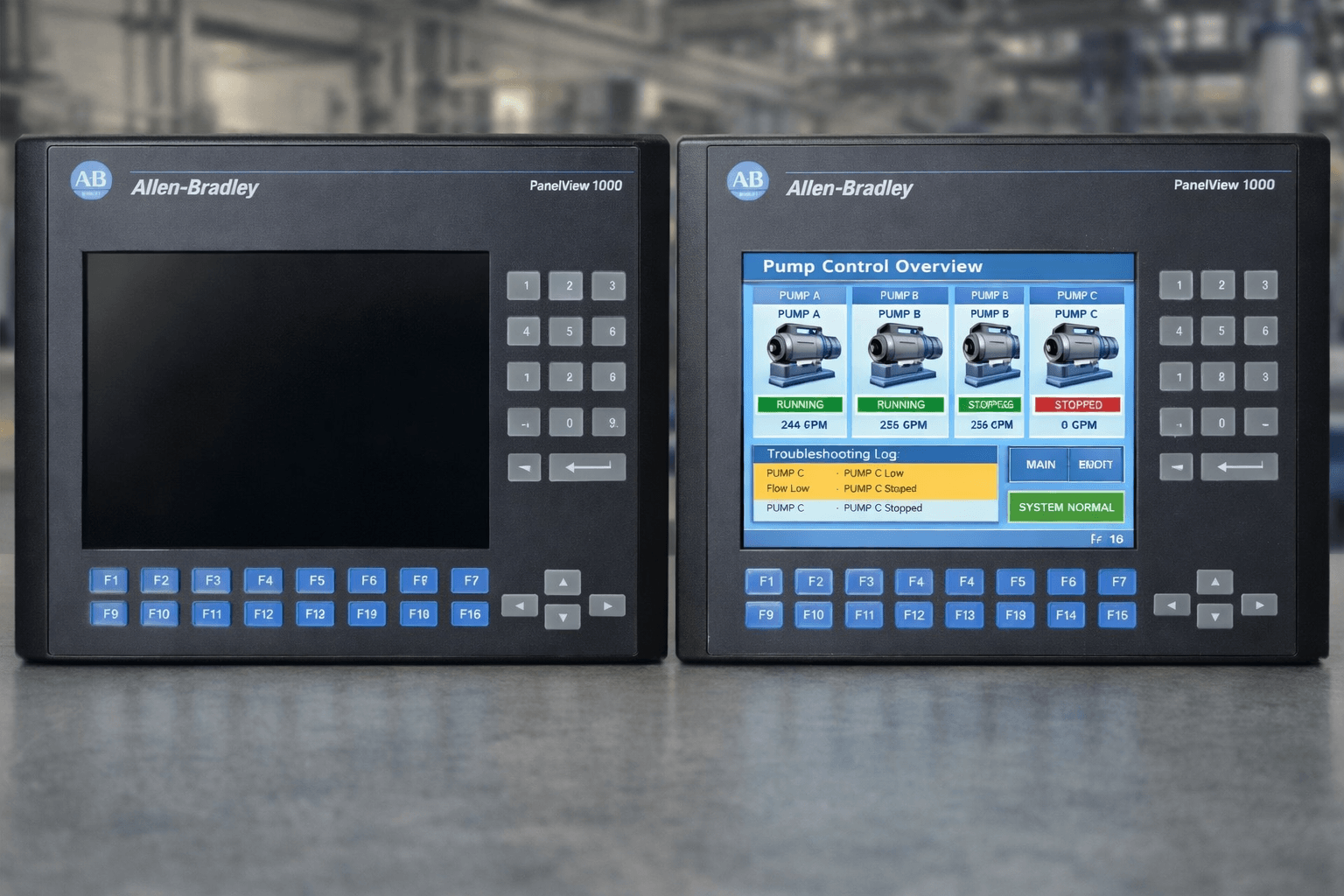
Diagnosing a Blank Screen on PanelView 1000
Safety First
Always power down the unit and follow lockout/tagout procedures before internal work.
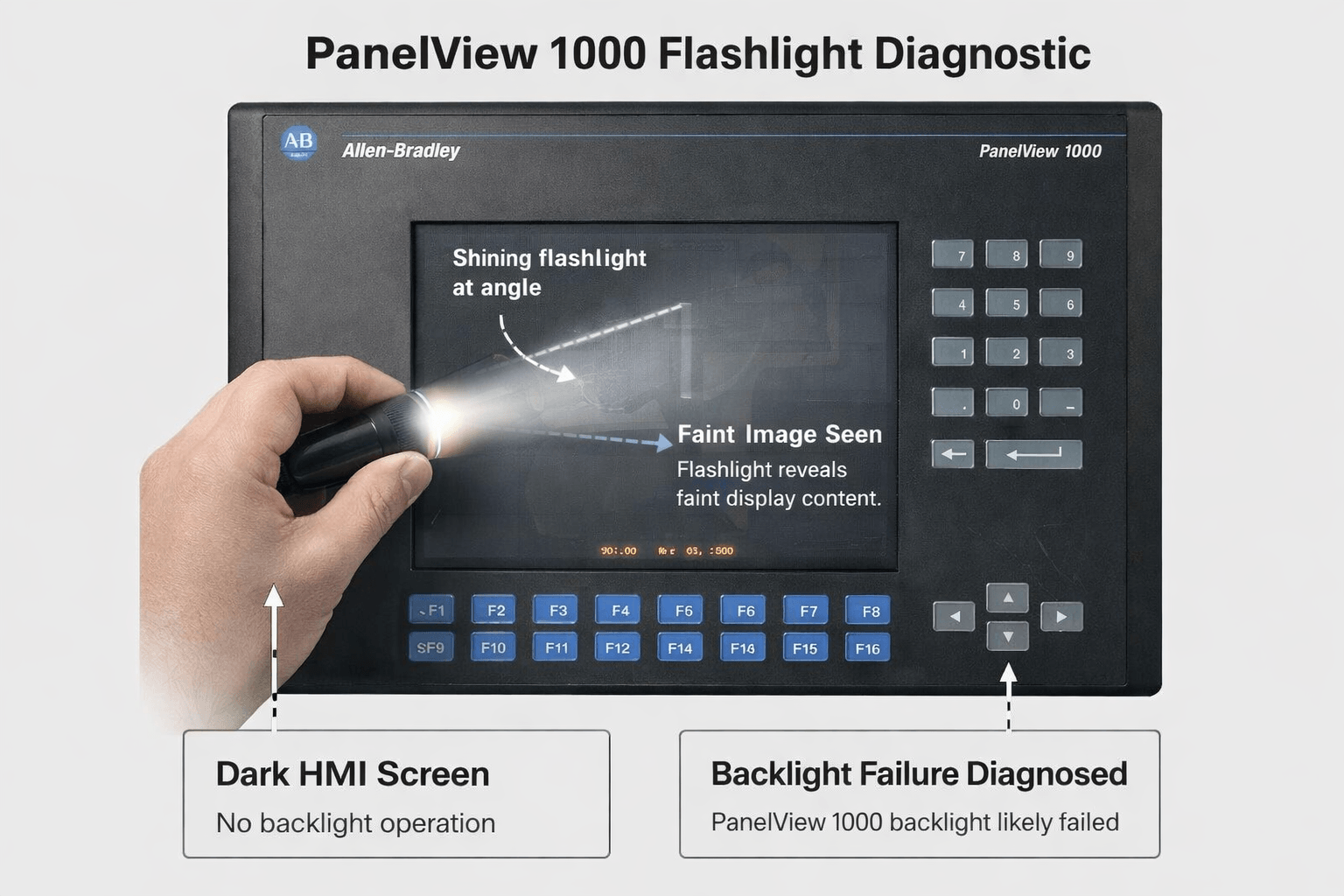
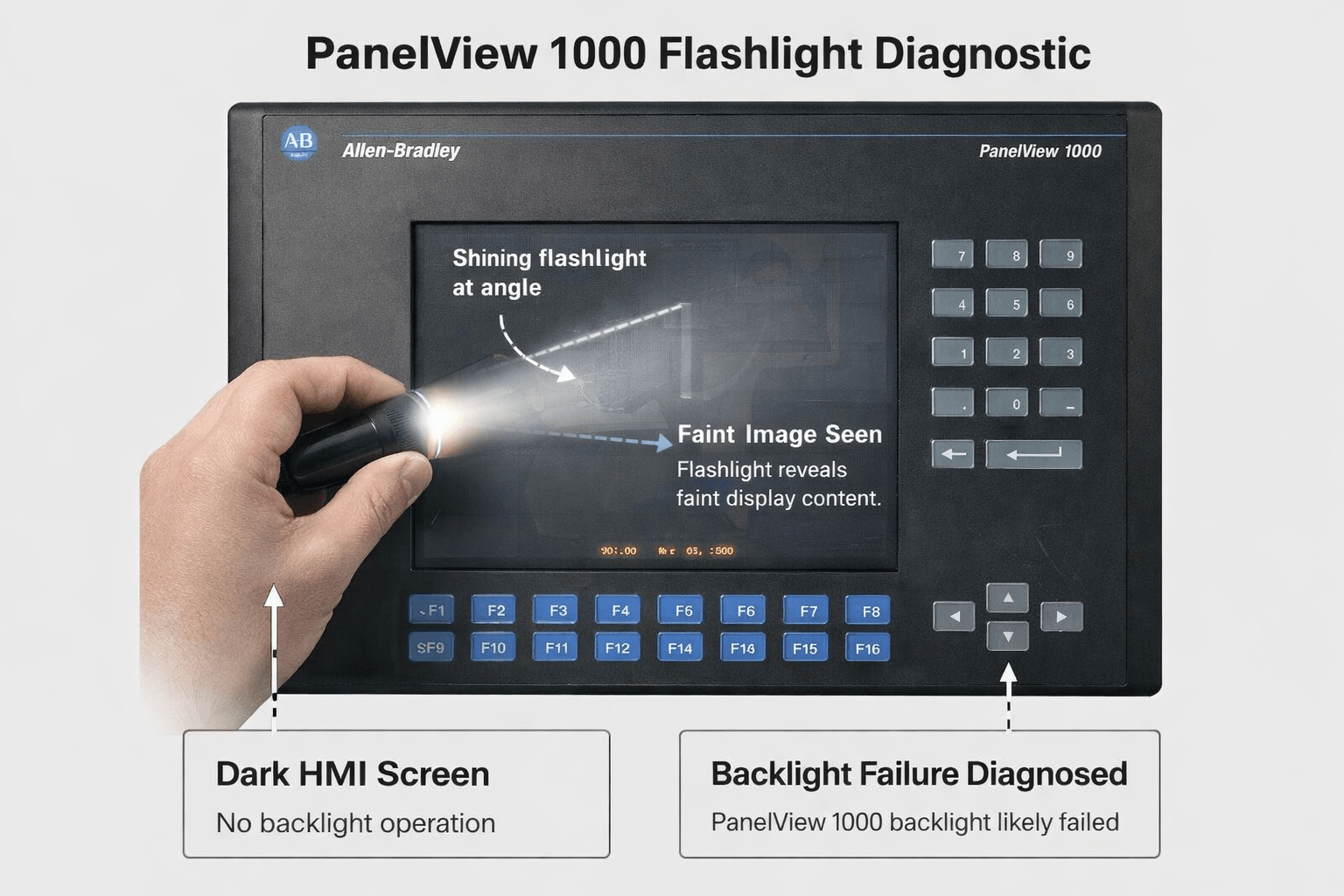
Flashlight Test (Key Diagnostic Step)
Power on the PanelView 1000 in a darkened room. Shine a bright flashlight at an angle onto the screen. If you can faintly see the application graphics or text behind the darkness, the backlight (CCFL) or inverter has failed. If nothing is visible, the LCD panel itself may be damaged.
This test is widely recommended in Rockwell manuals and technician forums.
Additional Checks
- Verify power supply voltage (90-264 VAC or appropriate DC).
- Check communication LEDs and attempt upload/download via RSLinx or PanelBuilder.
- Inspect for physical damage, loose cables, or environmental issues like dust/water ingress.
Step-by-Step Troubleshooting and Fixes
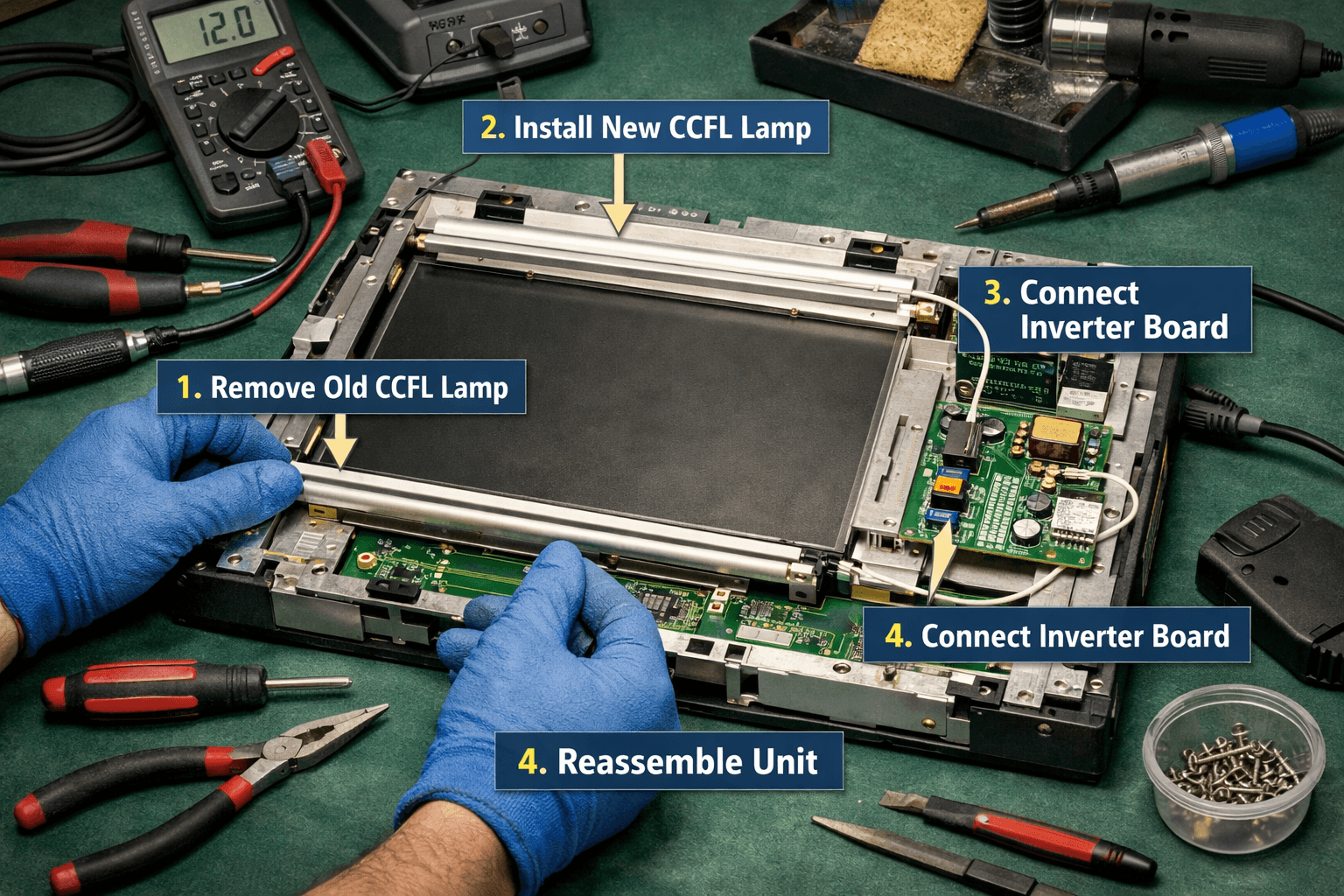
For Blank Screen / Backlight Failure
- Replace the CCFL backlight assembly (refer to Publication 2711-UM001 for disassembly). Compatible lamps are available through specialists like VICPAS.
- Clean connections and test the inverter board.
- As a long-term solution, many users upgrade to modern equivalents while reusing existing programs.
Intermittent / Jumpy Display
Video driver or backlight supply degradation is common. Power cycle, check grounding, and consider full display replacement. VICPAS stocks tested LCD and touchscreen assemblies for quick swaps.
White Screen or Conditioner Issues
Access Terminal Configuration (press four corners during boot) and disable Screen Conditioner. Update firmware if needed.
Locked Up or No Program
Boot into Safe Mode or use firmware recovery. Upload programs blindly via RS-232 or memory card when display fails.
Communication & Other Errors
Cross-reference tags in PanelBuilder, ensure matching baud rates/node addresses, and initialize unused registers.
Why Choose VICPAS for Your PanelView 1000 Needs?
With over 80,000 HMI parts in inventory, VICPAS specializes in Allen Bradley PanelView repairs and replacements. We provide:
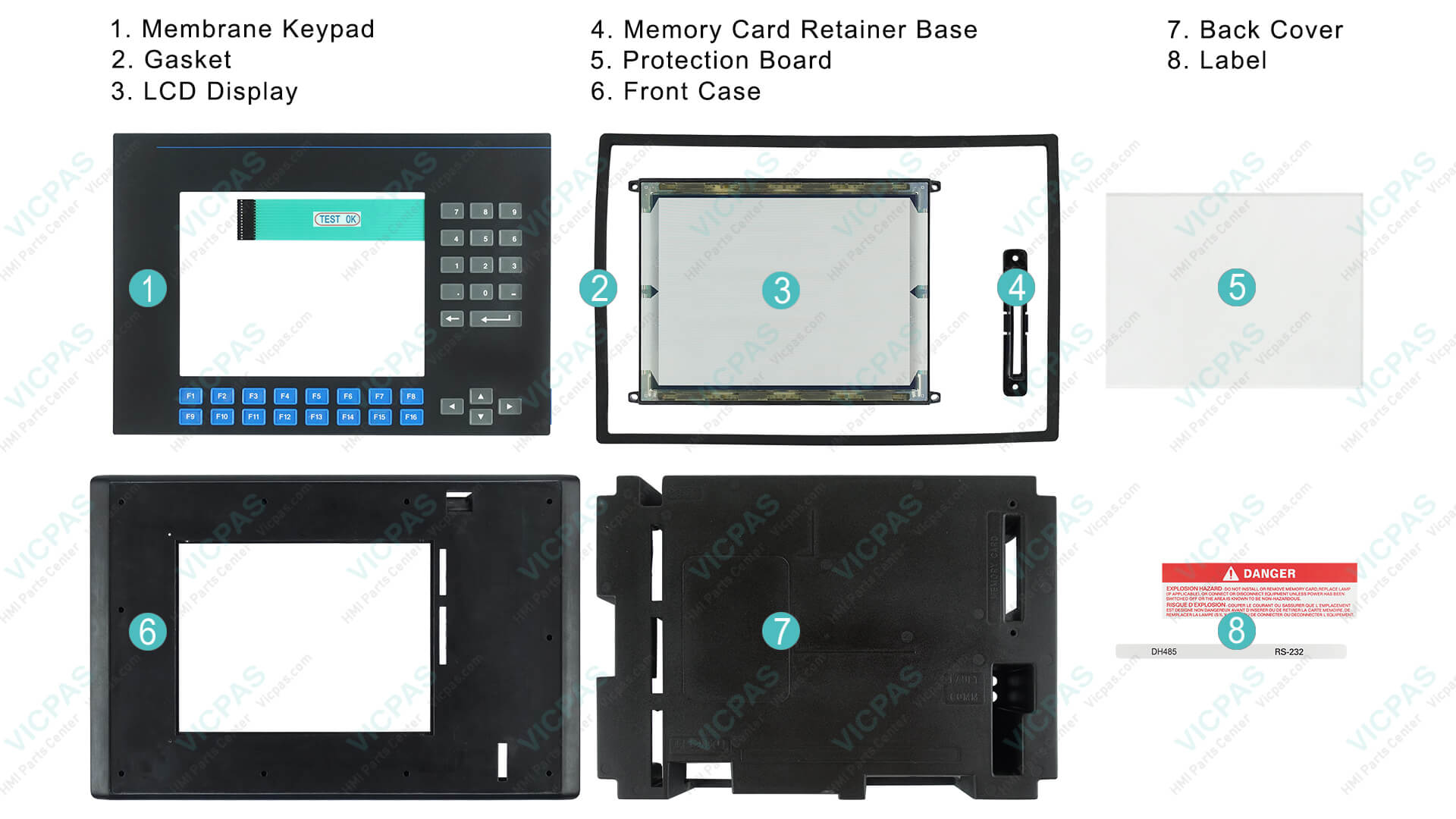
- Touchscreens, membrane keypads, LCD displays, and bezels for PanelView 1000 models (e.g., 2711-K10C1, 2711-T10C series).
- 12-month warranty, urgent worldwide shipping (DHL/UPS), and small MOQ customization.
- Expert support for obsolete parts that Rockwell no longer supports.
Our customers trust us for fast turnaround—many components ship the same day. Browse our full Allen Bradley PanelView 1000 selection or contact sales@vicpas.com for a quote.
Prevention Tips for Long-Term Reliability
- Maintain proper cabinet ventilation and use surge protection.
- Regularly update firmware and back up applications.
- Schedule periodic backlight inspections in high-duty environments.
- Consider environmental protections against dust and moisture.
Conclusion
Troubleshooting an Allen Bradley PanelView 1000 blank screen or common errors doesn’t have to halt production. With the right diagnostics—like the flashlight test—and quality replacement parts, most units can be restored quickly and cost-effectively.
At VICPAS, we combine deep technical knowledge with a vast inventory to keep your operations running. Explore our PanelView 1000 parts today and experience the difference professional HMI support makes.