Allen Bradley PanelView 600 Troubleshooting and Repair Guide
- Share
- Issue Time
- Jun 29,2026
Allen Bradley PanelView 600 Troubleshooting and Repair Guide: Expert Tips for Quick Fixes and Reliable Parts
Comprehensive Allen Bradley PanelView 600 troubleshooting and repair guide covering display problems, touchscreen failures, error codes, and more. VICPAS provides high-quality replacement parts with fast shipping and 12-month warranty.
Table of Contents
Introduction
The Allen Bradley PanelView 600 is a robust operator interface terminal widely used in industrial automation for monitoring and controlling processes. As a staple in many manufacturing environments, it delivers reliable performance—but like any HMI, it can encounter issues over time, such as dim displays, unresponsive touchscreens, or error messages.
At VICPAS, a leading HMI parts specialist with over 20 years of experience, we understand these challenges firsthand. We supply premium replacement touchscreens, membrane keypads, LCD displays, and more for the PanelView 600 series, helping minimize costly downtime. This guide draws from official Rockwell Automation resources and real-world repair insights to provide practical troubleshooting steps.
Whether you're dealing with a Standard or Plus model, this Allen Bradley PanelView 600 troubleshooting resource will help you diagnose and resolve issues effectively. For hard-to-find parts, explore our PanelView 600 replacement parts.
Common Allen Bradley PanelView 600 Issues and Troubleshooting
1. Display Problems (Blank Screen, Dim/Faded Backlight)
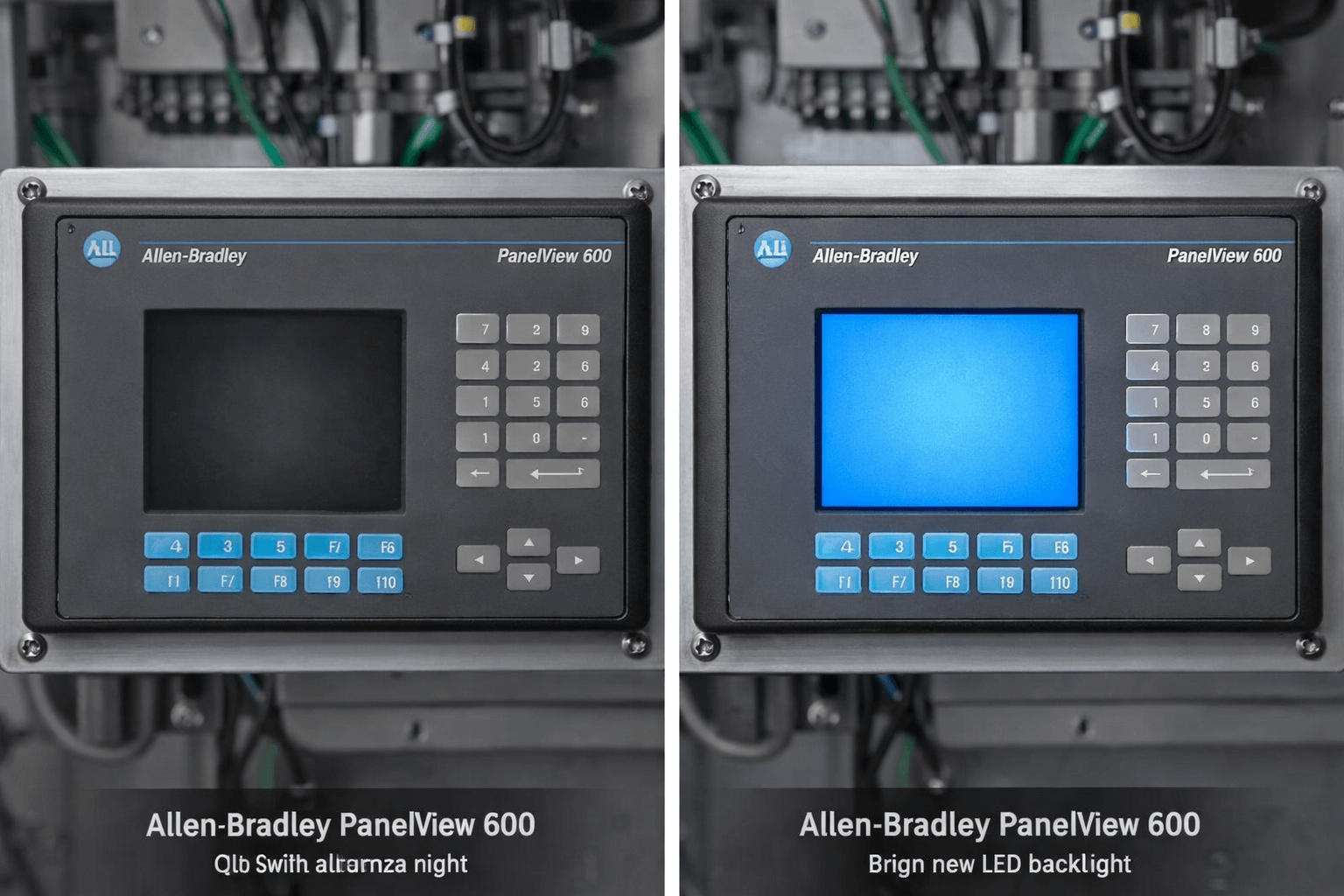
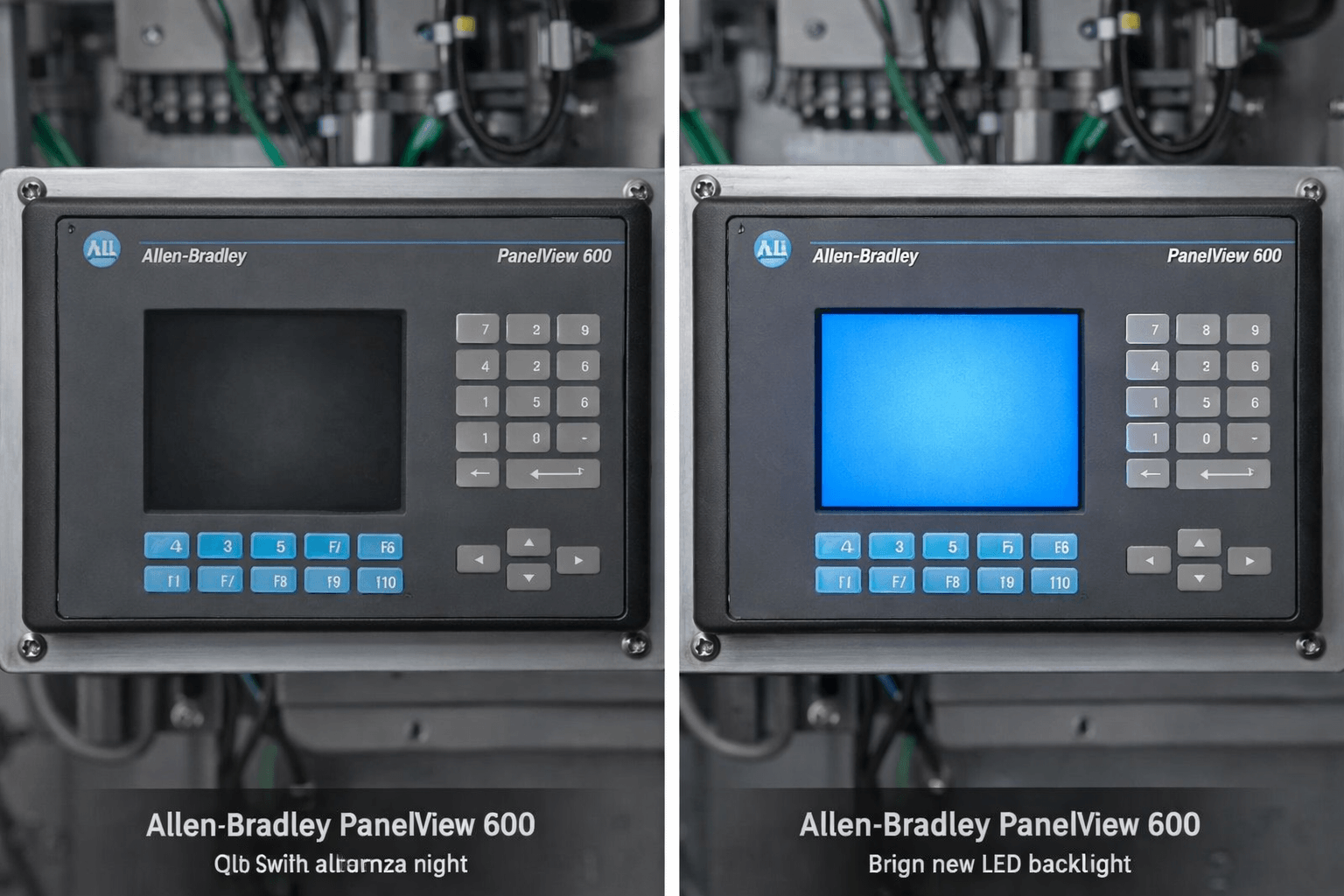
PanelView 600 displays can fade or go blank due to backlight failure or power issues.
Troubleshooting Steps:
- Check power supply and status indicators (FAULT/COMM lights).
- Verify connections and try a power cycle.
- For backlight issues: Refer to the official User Manual (Publication 2711-UM014) for replacement procedures on supported models. Note that some Plus 600 variants have non-user-replaceable backlights—professional service is recommended.
VICPAS Solution: We stock high-quality LED backlight upgrades and full LCD assemblies compatible with PanelView 600. Visit our PanelView 600 parts page for fast shipping options with a 12-month warranty.
2. Touchscreen Not Working or Dead Zones
A frequent complaint is partial or complete touchscreen failure, often starting at the bottom row.
Steps to Fix:
- Perform a POST (Power-On Self-Test) check and attempt configuration mode access.
- Clean the screen and inspect for physical damage or moisture.
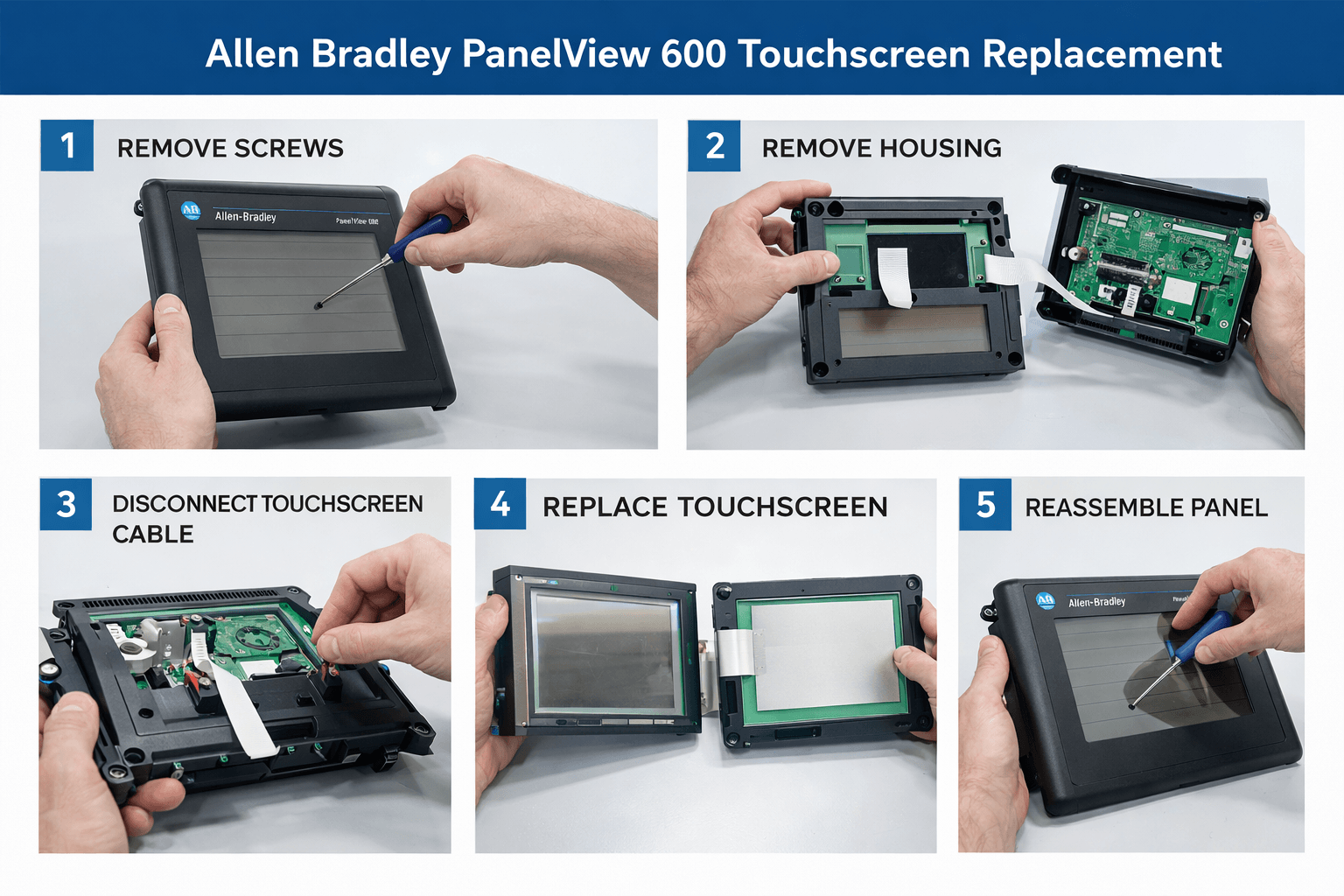
- If unresponsive, calibrate or replace the touchscreen overlay.
Expert Tip from Forums: Users on PLCtalk report success with careful disassembly, but improper handling risks further damage.
VICPAS Advantage: Our analog resistive touchscreens are direct replacements—brand new, factory-tested, and easy to install. Browse models like 2711-B6Cxx series on our site.
3. Error Codes and Fault Messages
Common codes include memory errors (e.g., Code 31), communication faults, or firmware checksum issues.
Quick Reference:
- Error 208: Communication write issues—check cables and PLC connections.
- Memory faults: Reload application or check battery/clock module.
- Consult the official manual's Appendix for full message lists and actions.
VICPAS technicians have repaired thousands of units. Contact us for diagnostics or pre-tested replacement components.
4. Keypad Failures and Other Hardware Issues
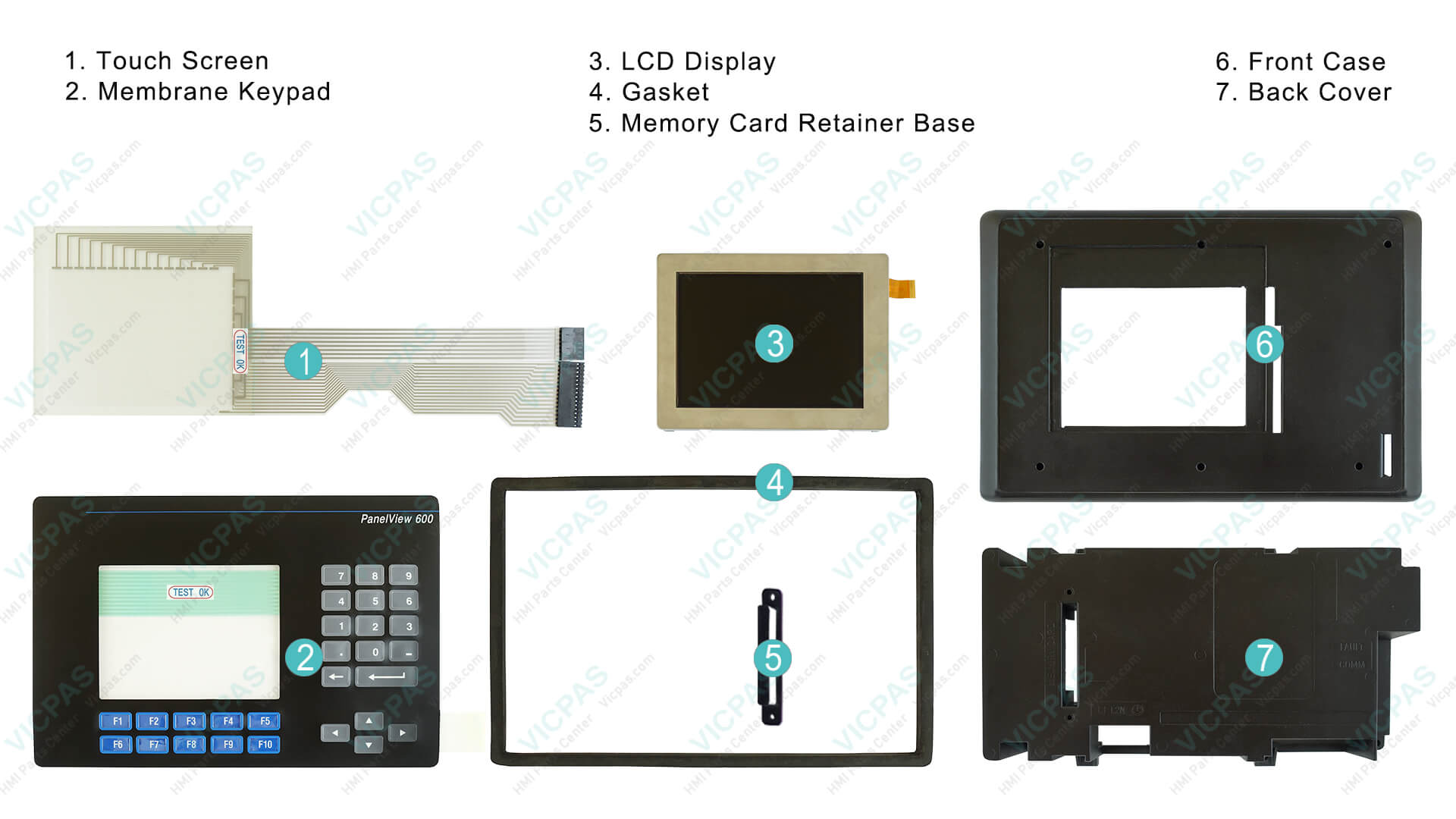
Stuck keys or membrane wear are common in high-use environments. Our stainless steel domed membrane keypads provide durable replacements.
Maintenance Best Practices:
- Regular cleaning per official guidelines.
- Proper panel mounting and environmental controls (0–55°C operating temp).
Why Choose VICPAS for Your Allen Bradley PanelView 600 Repairs?
With an extensive inventory of over 80,000 HMI parts, VICPAS (vicpas.com) specializes in Allen Bradley solutions. We offer high-quality compatible and surplus parts that meet or exceed OEM standards, backed by:
- 12-Month Warranty on most items.
- Urgent Worldwide Shipping (DHL, UPS, FedEx, often same-day).
- Customization Support for obsolete or hard-to-find components.
- Expert Team ready to assist with troubleshooting.
Explore our full range: Allen Bradley PanelView 600 Parts. Many customers report significant savings versus full terminal replacement.
Preventive Maintenance and Upgrades
Follow the official installation and maintenance procedures in the Rockwell manual to extend the life of your PanelView 600. Consider upgrading to LED backlights for better longevity and energy efficiency.
Pro Tip: Keep spare parts on hand—VICPAS offers small MOQ and fast production for custom needs.
Conclusion
This Allen Bradley PanelView 600 Troubleshooting and Repair Guide equips you with the knowledge to keep your operations running smoothly. For professional-grade replacement parts, expert advice, or a fast quote, visit VICPAS today. Our commitment to quality, speed, and customer satisfaction has made us a trusted partner in industrial HMI repairs worldwide.
References
- PanelView Standard Operator Terminals User Manual (Rockwell Automation)
- Restore Your Allen Bradley PanelView 600 Plus - T2 Industrial
- PanelView Plus 600 Display Problems - Monitech
- Allen-Bradley PanelView 600 Touchscreen Not Working Fix
- Allen Bradley Panelview 600 Repair - DO Supply
- Changing the backlight on a Panelview Plus 600 - PLCtalk
- Allen Bradley PanelView 600 Plus Troubleshooting - Monitech
- PanelView Error Code Reference and Troubleshooting Guide
- Panel View 600 Error - PLCtalk
- Allen Bradley PanelView 600 Repair - Precision Electronic Services
*Disclaimer: This guide is for informational purposes. Always refer to official Rockwell Automation documentation for safety-critical operations. VICPAS parts are high-quality compatible replacements.