PanelView 300 Micro Error Codes & Troubleshooting Guide
- Share
- Issue Time
- Jun 15,2026
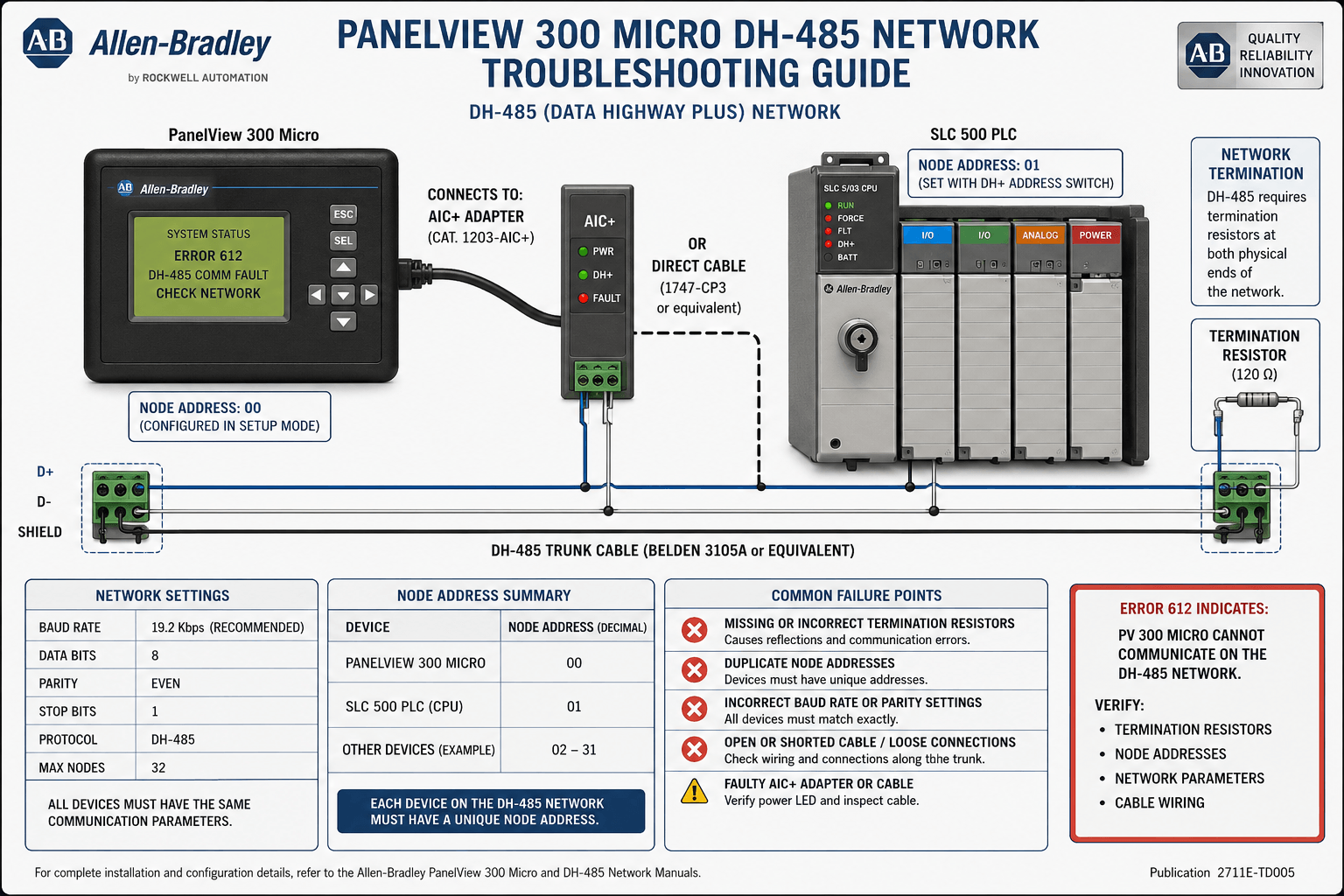
PanelView 300 Micro Error Codes & Troubleshooting Guide
Table of Contents
Allen-Bradley PanelView 300 (including the compact PanelView 300 Micro) remains a reliable workhorse in industrial automation, delivering essential HMI functionality for MicroLogix, SLC 500, and other legacy systems. However, like any aging hardware, it can encounter communication failures, memory issues, boot errors, and hardware faults that halt operations.
At Vicpas, we specialize in Allen-Bradley PanelView solutions. Whether you need genuine or high-quality compatible replacements, repair services, or expert support for your Allen-Bradley PanelView 300, our team helps minimize downtime. Explore our full range of PanelView 300 parts and accessories. For communication modules and related products, visit Vicpas Communication Solutions.
This comprehensive guide draws from official Rockwell Automation documentation and real-world field experience to help you diagnose and fix common PanelView 300 Micro error codes. Always prioritize safety: power down equipment and follow lockout/tagout procedures before troubleshooting.
Common PanelView 300 Micro Error Codes and Fixes
Error 40: "No executable code to run after boot"
This boot failure often stems from corrupted firmware, incomplete downloads, or power interruptions during updates.
Troubleshooting Steps:
- Attempt to connect via PanelBuilder32 and re-flash the firmware (DH-485 or DF1 image).
- Use a known-good programming cable (e.g., 1761-CBL-PM02).
- If the unit doesn't respond, professional repair or replacement may be needed.
Vicpas Tip: We stock compatible firmware tools and can assist with re-flashing or sourcing replacement Allen-Bradley PanelView 300 units.
Error 612: "No Active Nodes Found on Network" (DH-485)
One of the most frequent communication errors. The terminal cannot detect the PLC or other nodes.
Common Causes & Fixes:
- Cable/Connection Issues: Verify 1747-C10/C11 cables, reseat connectors, check shielding and termination.
- Node Address/Baud Rate Mismatch: Default PanelView node 2, PLC node 1, baud rate 19200.
- Ensure PLC is in RUN mode and Channel 0 is properly configured.
- Check RSLinx drivers and COM port settings for RS-232/DF1 variants.
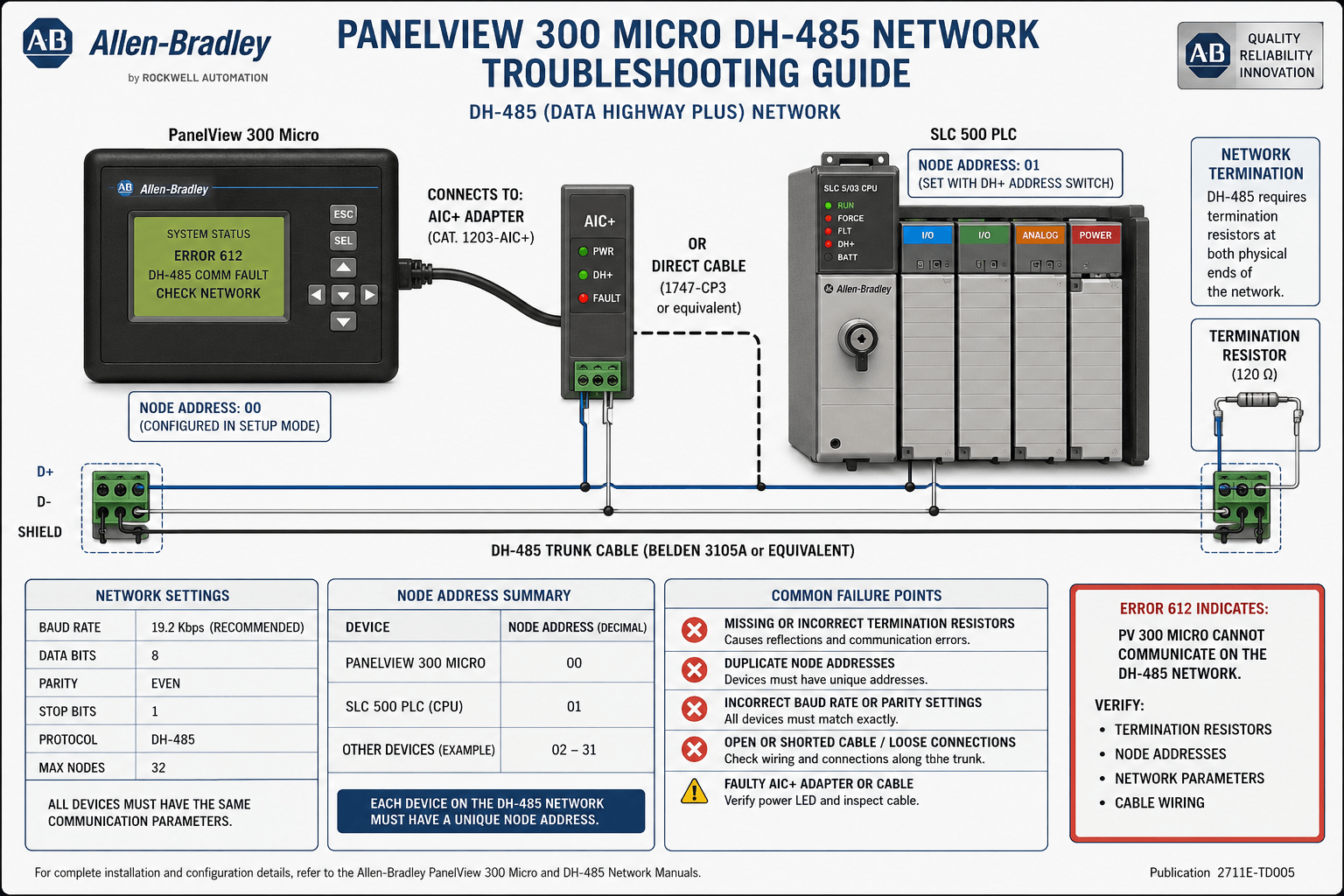
Image 1: DH-485 Network Connection Diagram
Error 615: "Data Errors on the Link" / Duplicate Node Address
Corrupt packets or addressing conflicts.
- Check for duplicate node addresses across all devices.
- Inspect for electrical noise, loose wiring, or reversed connections.
- Re-flash firmware or test with minimal configuration.
Error 32: Real Time Clock / Battery Issue
Indicates RTC failure, often due to the internal battery reaching end-of-life (expected ~7 years). Battery is not user-replaceable on Micro models.
- Monitor for timestamp loss in alarms/logs.
- Consider upgrading or contact specialists for repair options.
Memory/Download Errors (e.g., on DF1)
Occurs during application transfer due to bad flash blocks, firmware mismatch, or cable issues.
Step-by-Step Resolution:
- Validate project in PanelBuilder32 and fix any duplicates.
- Test with a minimal application.
- Verify cable and RSLinx configuration.
- Re-flash firmware if necessary.
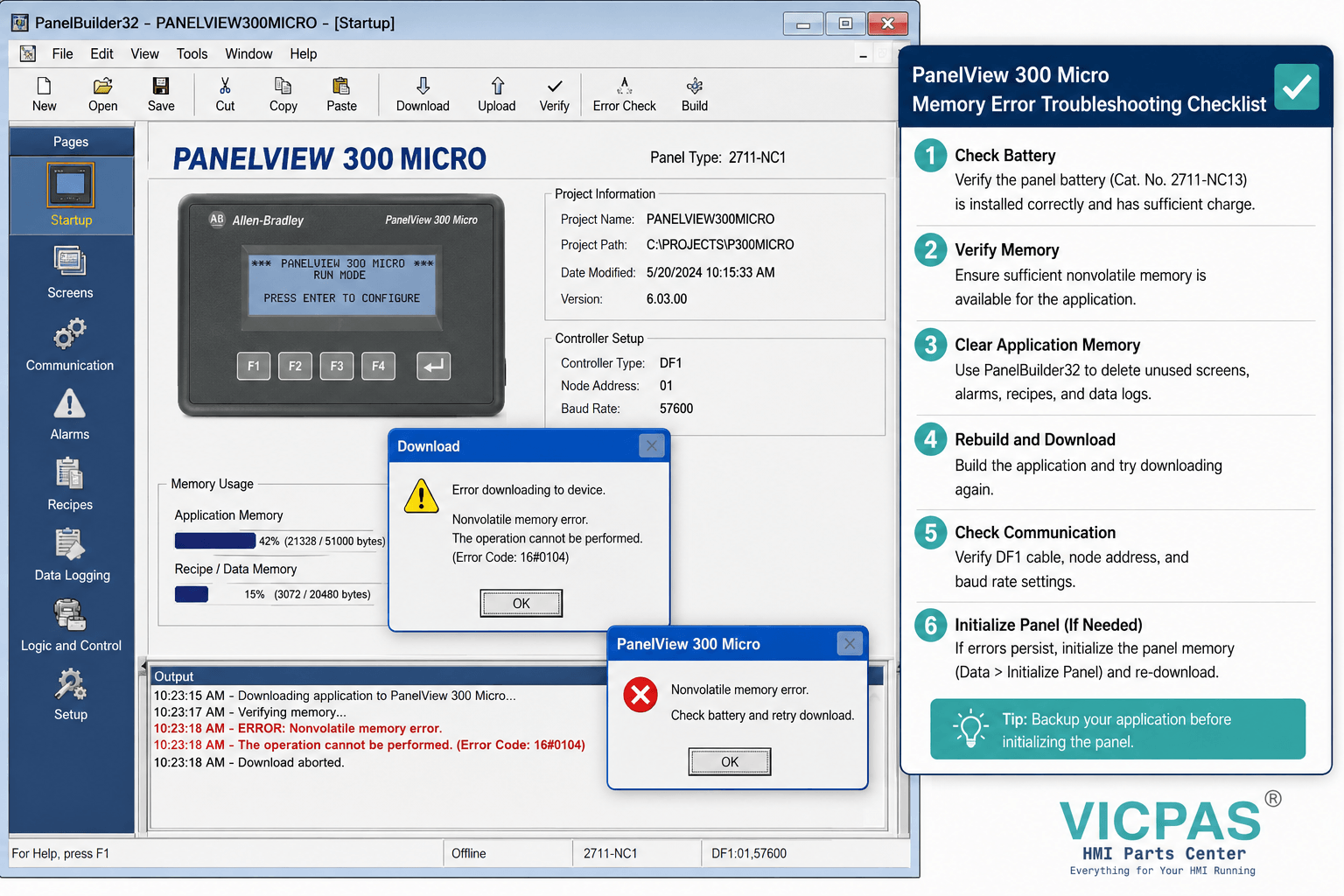
Image 2: PanelBuilder32 Download & Memory Error Troubleshooting
Other Common Issues
- Backlight/Display Failures: Dim screens or dead pixels — often require professional repair.
- Stuck Keys/Touch Issues: Clean or replace keypad/touch components.
- Power/Comm LED Problems: Check 24V DC supply and status indicators.
Preventive Maintenance for Allen-Bradley PanelView 300
- Regularly inspect cables and connections.
- Maintain backups of applications and firmware.
- Monitor battery life and environmental conditions.
- Use shielded cables and proper grounding.
Vicpas Expertise
With extensive experience supporting legacy Allen-Bradley systems, Vicpas offers fast repairs, compatible parts, and migration guidance to modern HMIs. Browse our PanelView 300 inventory or contact us for troubleshooting support:
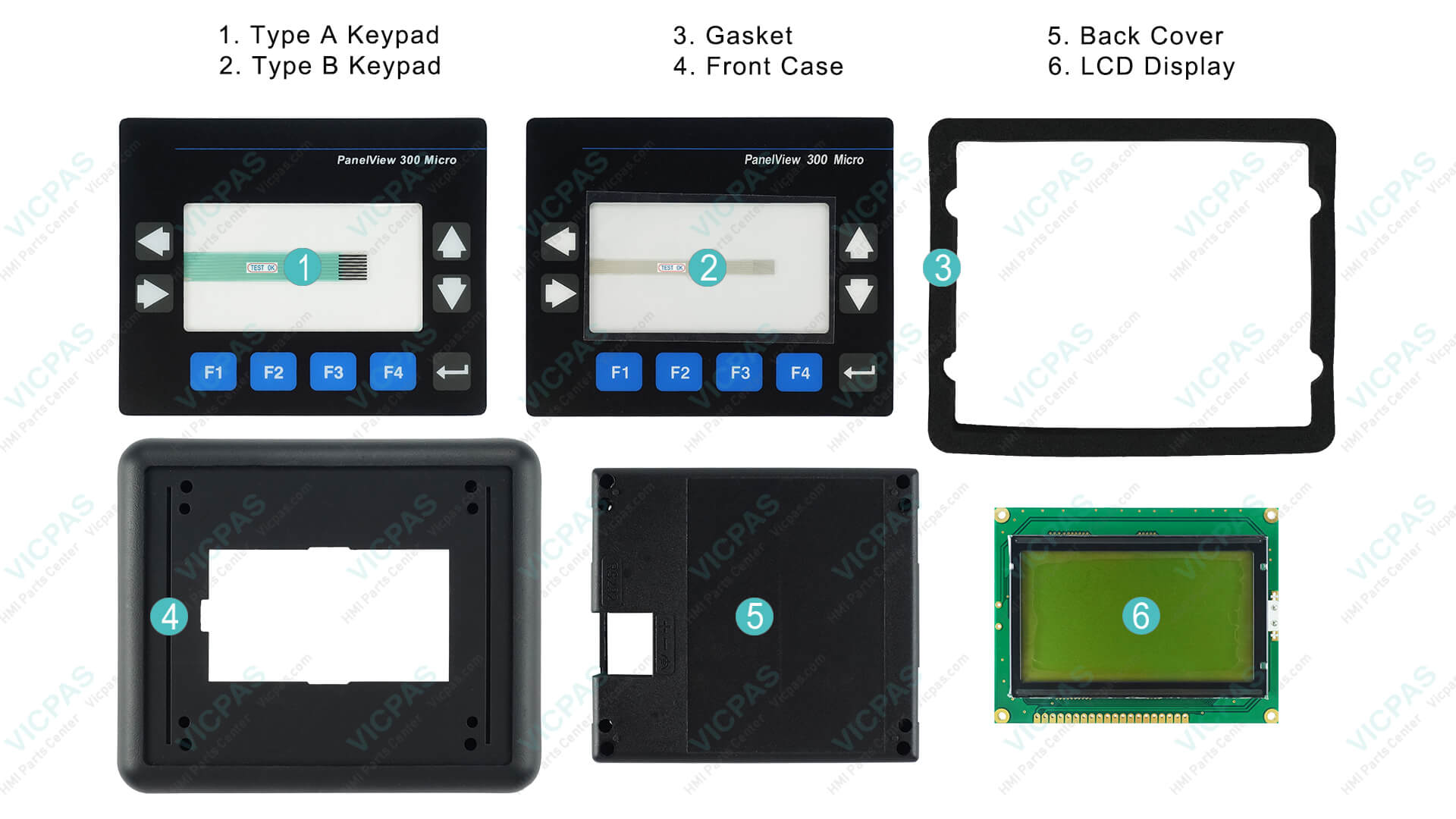
When to Seek Professional Help
If basic steps fail, hardware faults often require specialized repair.
This guide enhances your Allen-Bradley PanelView 300 troubleshooting knowledge while highlighting reliable support options. For questions or parts, reach out to the Vicpas team.
References
- PanelView Standard Operator Terminals User Manual (2711-UM014)
- Troubleshooting PanelView 300 Micro Memory Errors on DF1 Download
- PLCTalk Forum - PanelView 300 Micro Error Code 40
- PanelView 300 Error 612: No Active Nodes Found Fix
- PLCTalk Forum - SLC 5/02 + PanelView 300 Error 612
- MRPLC Forum - PanelView 300 Error 615
- PLCTalk Forum - PanelView 300 Micro Error 32
- Troubleshooting PanelView 300 DH-485 Communication
- DoSupply - Allen-Bradley PanelView 300 Repair
- PanelView 300 Micro Installation Instructions (2711-IN008)
Disclaimer: This content is for informational purposes. Always consult official Rockwell Automation manuals and qualified technicians for critical applications. Vicpas is an independent provider of compatible solutions and services.