Siemens S7-1200 PLC Troubleshooting and Maintenance Guide: Expert Tips for Reliable Operation
- Share
- Issue Time
- May 16,2026
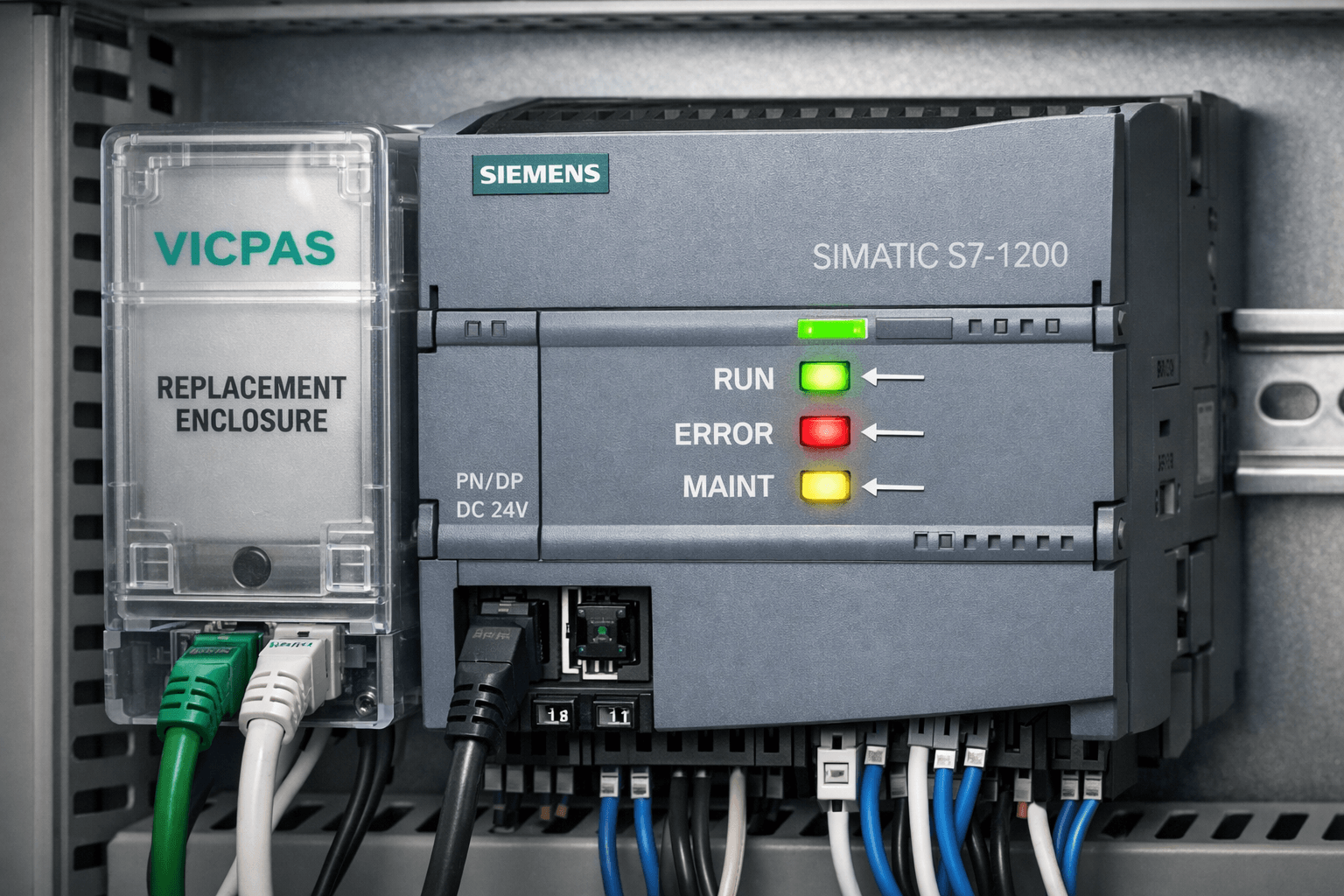
Siemens S7-1200 PLC Troubleshooting and Maintenance Guide: Expert Tips for Reliable Operation
Comprehensive guide by VICPAS – Your Trusted Partner for Siemens Automation Parts
Table of Contents
About VICPAS
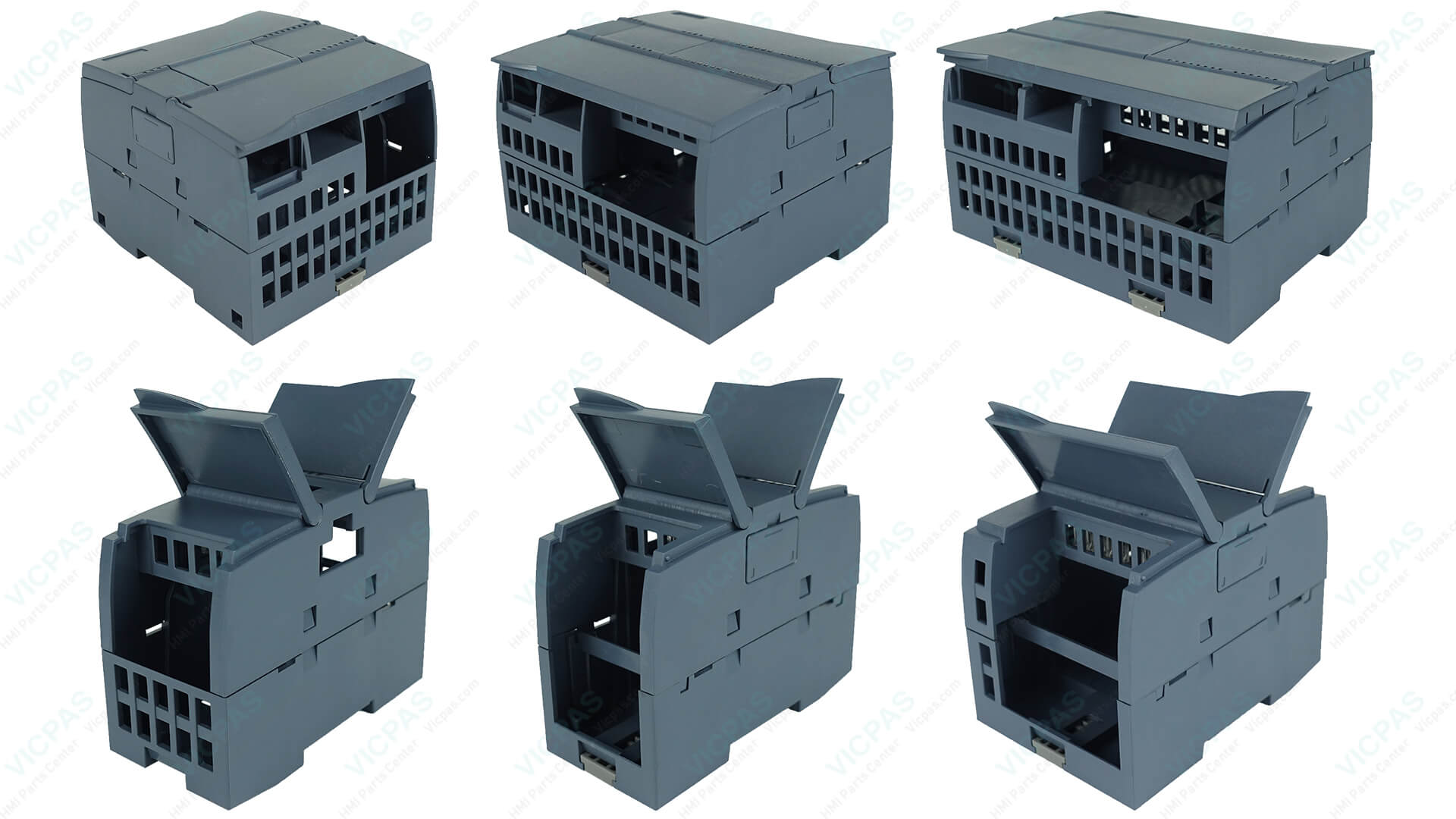
At VICPAS, we specialize in providing high-quality replacement parts for industrial automation equipment, including precision-engineered plastic enclosures and outer casings for the Siemens SIMATIC S7-1200 series. With over 20 years of experience in HMI and PLC parts supply, our team understands the real-world challenges of keeping PLC systems running smoothly.
This comprehensive guide draws from official Siemens documentation and practical field experience to help you troubleshoot and maintain your Siemens S7-1200 PLC effectively.
Browse Siemens S7-1200 Parts →
Why Proper Maintenance Matters for Siemens S7-1200 PLC
The Siemens SIMATIC S7-1200 is a compact, powerful PLC widely used in industrial automation. According to Siemens official resources, many S7-1200 components are designed to be maintenance-free under normal conditions, but real-world environments often introduce challenges like electrical noise, improper grounding, and module mismatches.
VICPAS supports your maintenance efforts with durable replacement casings that protect internal components from dust, moisture, and impact—ensuring long-term reliability in harsh industrial settings.
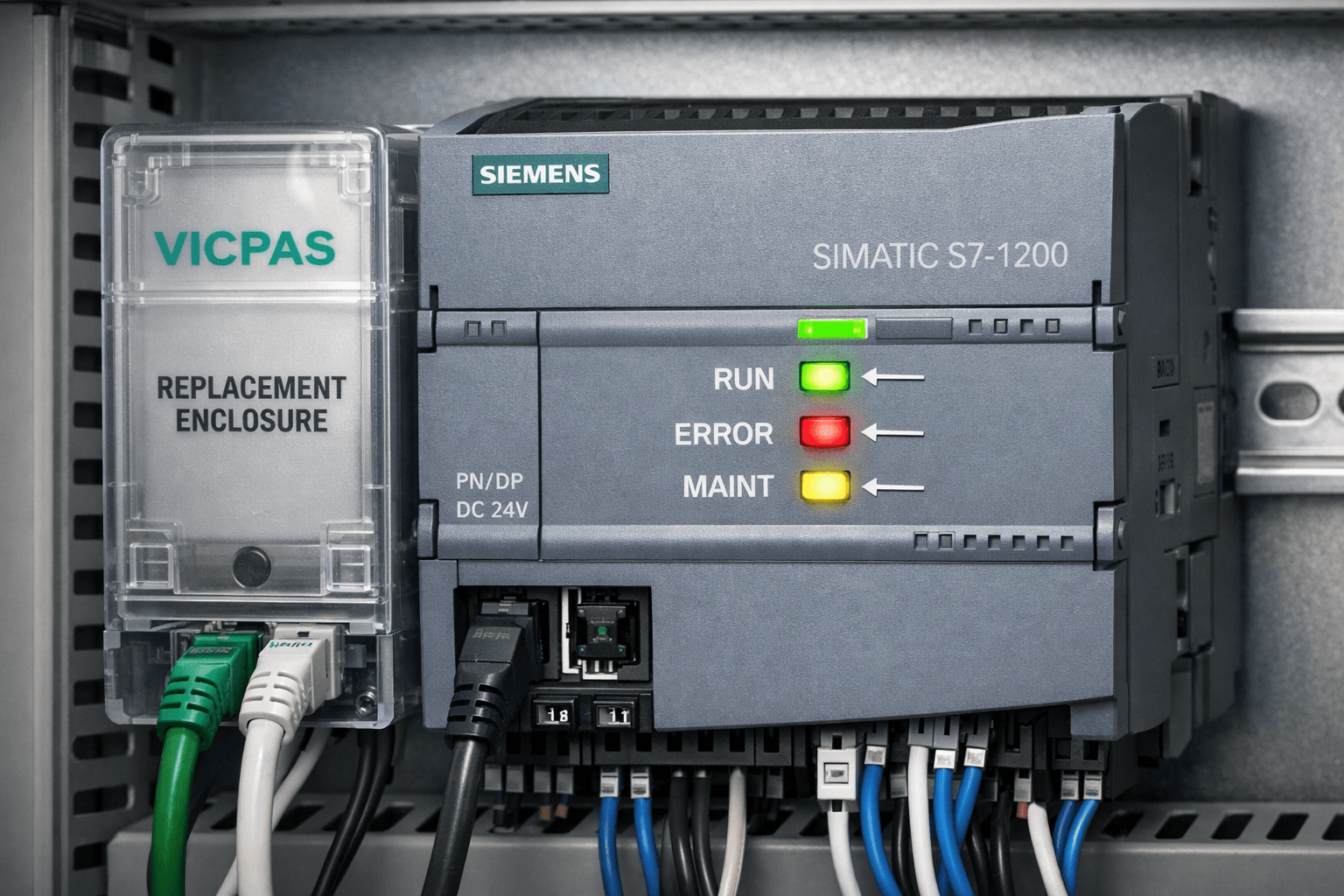
Understanding S7-1200 Status LEDs: Your First Diagnostic Tool
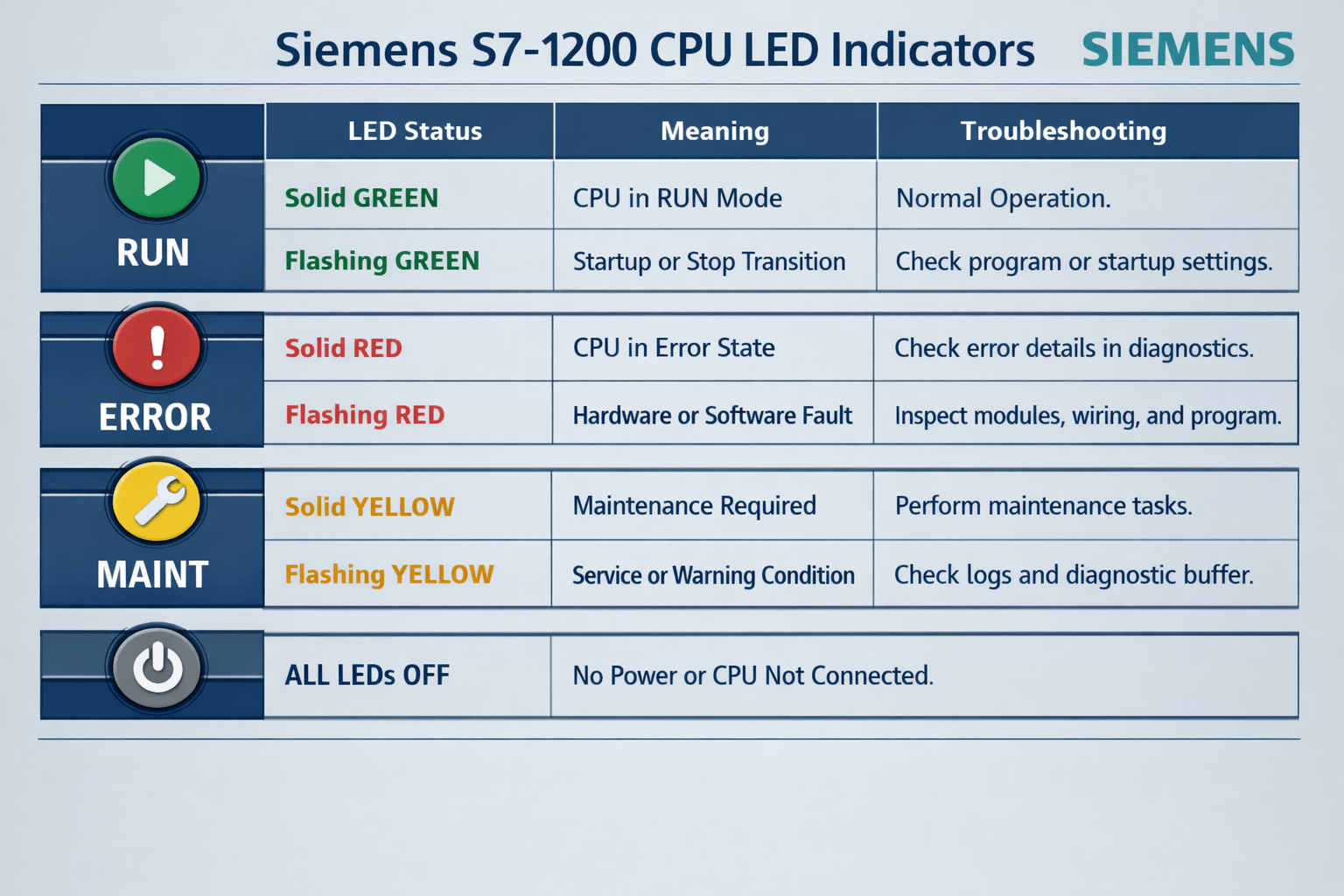
- RUN/STOP LED (Green/Yellow): Steady green = RUN mode; Steady yellow = STOP mode; Flashing = startup or transition.
- ERROR LED (Red): Solid or flashing indicates errors (hardware, configuration, or fatal faults). Check the diagnostic buffer in TIA Portal.
- MAINT LED (Yellow): Signals maintenance needs, such as diagnostics available, memory card issues, or firmware updates.
Common LED Scenarios and Fixes (from forums like PLCTalk and field reports)
- CPU not entering RUN mode: Often due to hardware configuration mismatch. Solution: Perform "Compile All" and "Download All" in TIA Portal.
- Flashing ERROR LED: Review diagnostic buffer for I/O or Profinet issues.
- No LEDs / Dead Unit: Check power supply (24V DC within 20.4–28.8V), grounding (PE terminal critical), and polarity.
Common Troubleshooting Issues and Step-by-Step Solutions
1. Power and Startup Problems
Symptoms: No power, repeated failures.
Causes: Missing protective earth (PE) connection, voltage spikes, poor wiring.
Fixes: Verify grounding per IEC standards, use proper fuses/TVS diodes, and inspect power cables. Disconnect all I/O before testing.
2. Communication and Profinet Errors
Symptoms: No connection to HMI, SCADA, or I/O devices.
Fixes: Check IP settings, cables, and firmware compatibility. Use TIA Portal online diagnostics and web server functions.
3. I/O Module Failures
Symptoms: Inputs/outputs not responding.
Fixes: Inspect connections, check for short circuits/overvoltage, and review channel diagnostics.
4. Program and Configuration Errors
Fixes: Clear diagnostic buffer, reload program, and ensure module consistency.
Pro Tip from VICPAS: When replacing damaged casings due to environmental wear, our precision-fit enclosures restore protection quickly with minimal downtime. Browse S7-1200 outer casings here.
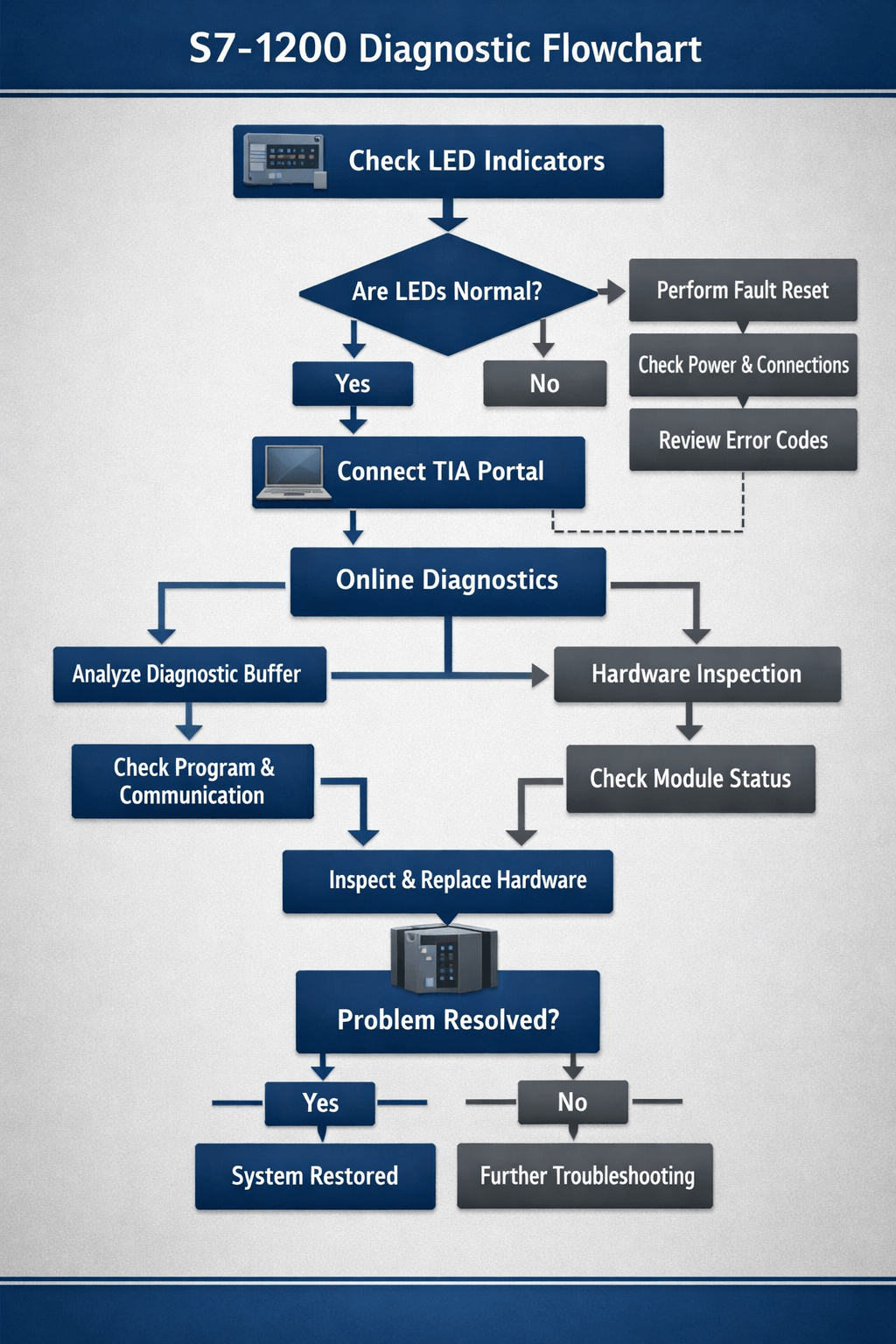
Maintenance Best Practices
- Regular Diagnostics: Use TIA Portal’s online tools and the integrated web server for monitoring.
- Firmware Updates: Keep firmware current to avoid known issues.
- Environmental Protection: Ensure proper enclosure, ventilation, and surge protection.
- Backup & Restore: Regularly back up projects and use memory cards correctly.
Why Choose VICPAS for Your Siemens S7-1200 Needs?
- Superior Quality: Precision-designed, rigorously tested enclosures and components.
- Fast Service: Urgent worldwide shipping (DHL, UPS, etc.) with same-day options.
- 12-Month Warranty: Confidence in every part.
- Customization: Small MOQ, even for hard-to-find or obsolete items.
- Expert Support: Over 20 years of experience serving global customers.
Get Your S7-1200 Replacement Parts Now
Contact VICPAS
Email: sales@vicpas.com
Tel: +86 13922741901
References
- Siemens SIMATIC S7-1200 System Manual
- Siemens TIA Portal - Maintenance and Repair
- Diagnostics Overview for SIMATIC S7-1200 and S7-1500
- PLCTalk Forum: Siemens S7-1200 CPU does not RUN
- Industrial Monitor Direct: Diagnosing Repeated S7-1200 Failure
- Siemens SIMATIC S7-1200 Error Codes Explained
- Troubleshooting Common S7-1200 Issues - PLC-Chain
- PLCTalk Forum - S7-1200 Discussions
- Siemens Industry Online Support (S7-1200 Diagnostics)
- Common SIMATIC S7-1200 Errors and How to Fix Them
Disclaimer: This guide is for informational purposes only. Always refer to the latest official Siemens manuals and consult qualified technicians for critical applications. VICPAS is an independent supplier of compatible high-quality replacement parts.
© VICPAS | Professional HMI & PLC Replacement Parts Supplier