Siemens S7-200 PLC Troubleshooting Guide: Fix Common Errors Fast
- Share
- Issue Time
- Apr 27,2026
Siemens S7-200 PLC Troubleshooting Guide: Fix Common Errors Fast
Table of Contents
- 1. SF LED On and PLC Stuck in STOP Mode
- 2. No Outputs (Outputs Not Responding)
- 3. HMI Communication Failure and PC/PPI Issues
- 4. RTC Clock and Data Retention Problems
- 5. Other Common Errors and Quick Fixes
- Why Choose VICPAS for Your Siemens S7-200 PLC
- Prevention Tips for Maximum Reliability
- References
The Siemens S7-200 PLC is a proven compact programmable logic controller widely used in machine tools, packaging lines, material handling, and small automation systems.
Common issues such as the red SF LED lighting up, unexpected STOP mode, no outputs responding, HMI communication failures, and RTC clock problems can lead to costly production downtime.
At VICPAS Touch Technology Co., Ltd., with over 20 years of experience in industrial HMI and PLC replacement parts, we provide high-quality compatible components for the Siemens Simatic S7-200 series to help you restore your equipment quickly and cost-effectively.
1. SF LED On and PLC Stuck in STOP Mode
Symptoms
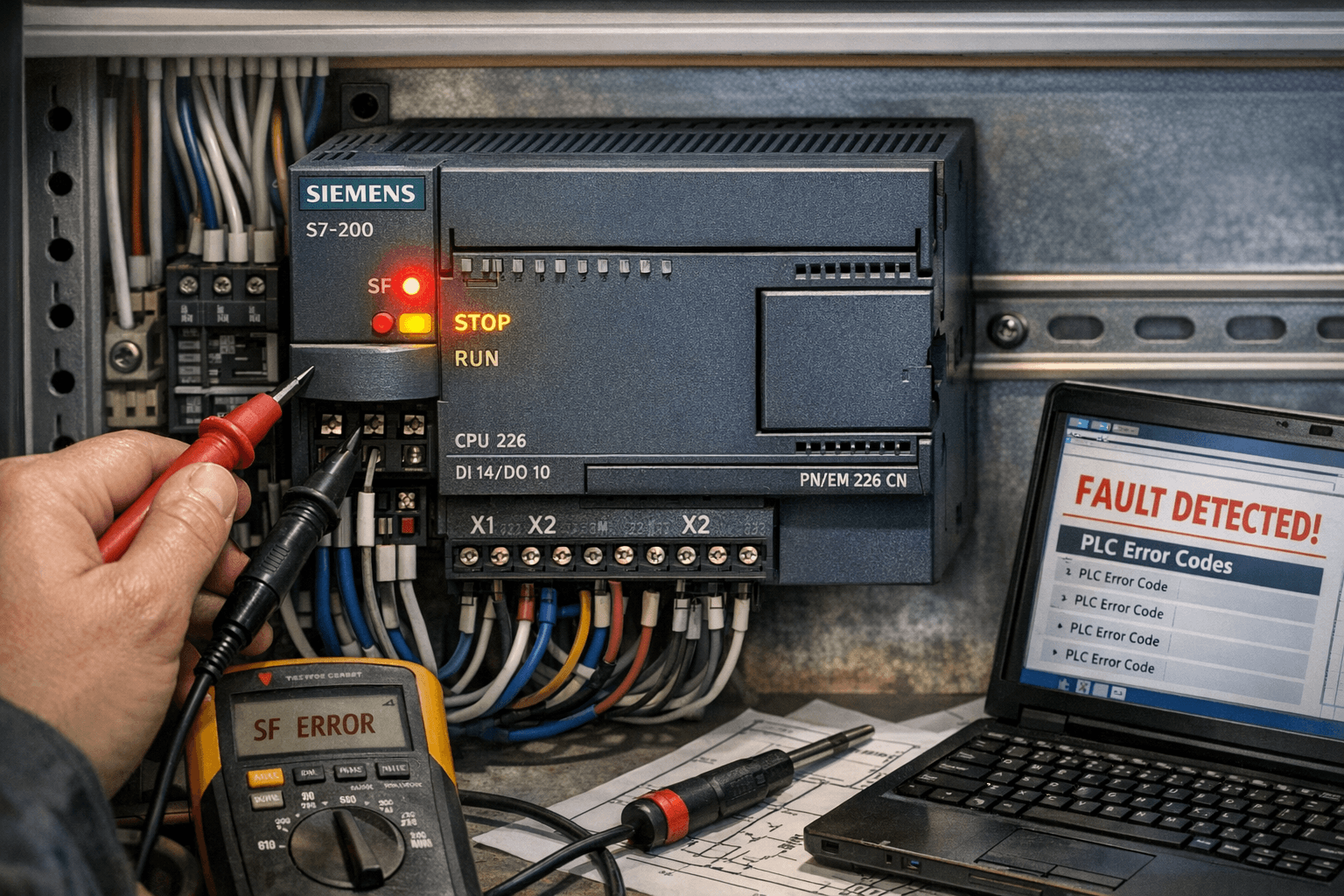
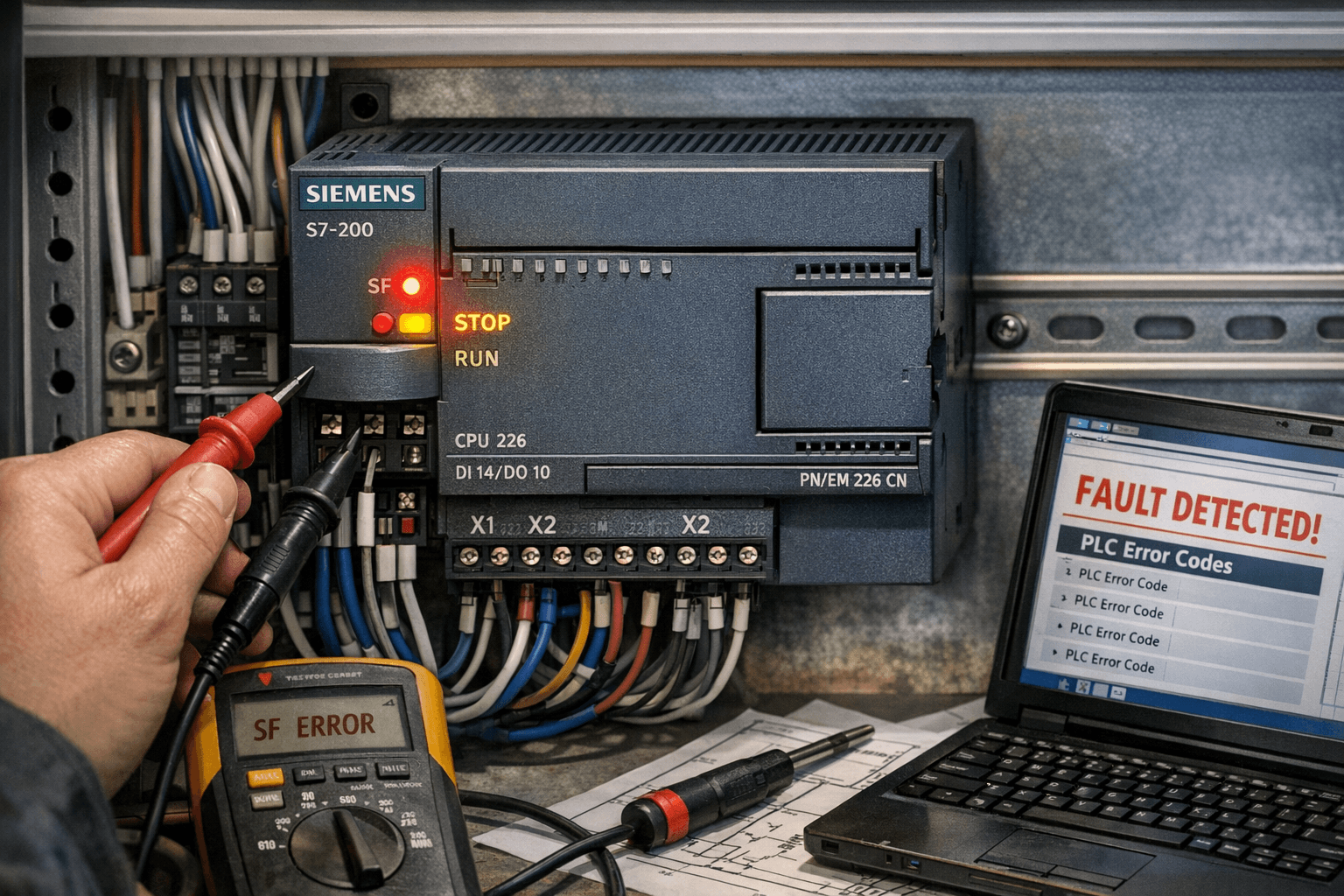
Red SF LED is lit, RUN LED is off, STOP LED is on, outputs are disabled, and the PLC stops program execution.
Common Causes (from Siemens Appendix C)
- Fatal errors (e.g., expansion bus fault, memory issues, or hardware failure)
- Battery failure leading to RAM data loss
- Corrupted program or invalid instructions
- Power supply instability or expansion module mismatch
Quick Fix Steps
- Set the mode switch to STOP or use STEP 7-Micro/WIN to stop the PLC.
- Verify stable 24VDC power supply voltage.
- Disconnect all expansion modules, power cycle the CPU, then reconnect one by one to isolate the fault.
- Connect via PC/PPI cable and check PLC → Information to view error codes and diagnostic buffer.
- Perform a Power-Up Reset to clear fatal errors.
- Replace the backup battery if retentive data is lost.
VICPAS Tip: Repeated SF faults often indicate aging hardware. We stock compatible plastic housings with a 12-month warranty and fast shipping.
2. No Outputs (Outputs Not Responding in RUN Mode)
Common Causes (from Siemens Appendix C)
- Fatal errors (e.g., expansion bus fault, memory issues, or hardware failure)
- Battery failure leading to RAM data loss
- Corrupted program or invalid instructions
- Power supply instability or expansion module mismatch
Quick Troubleshooting Steps
- Confirm the green RUN LED is steady on.
- Check the Output Table in the System Block.
- Use Micro/WIN Status Chart to monitor and force output bits (Q addresses).
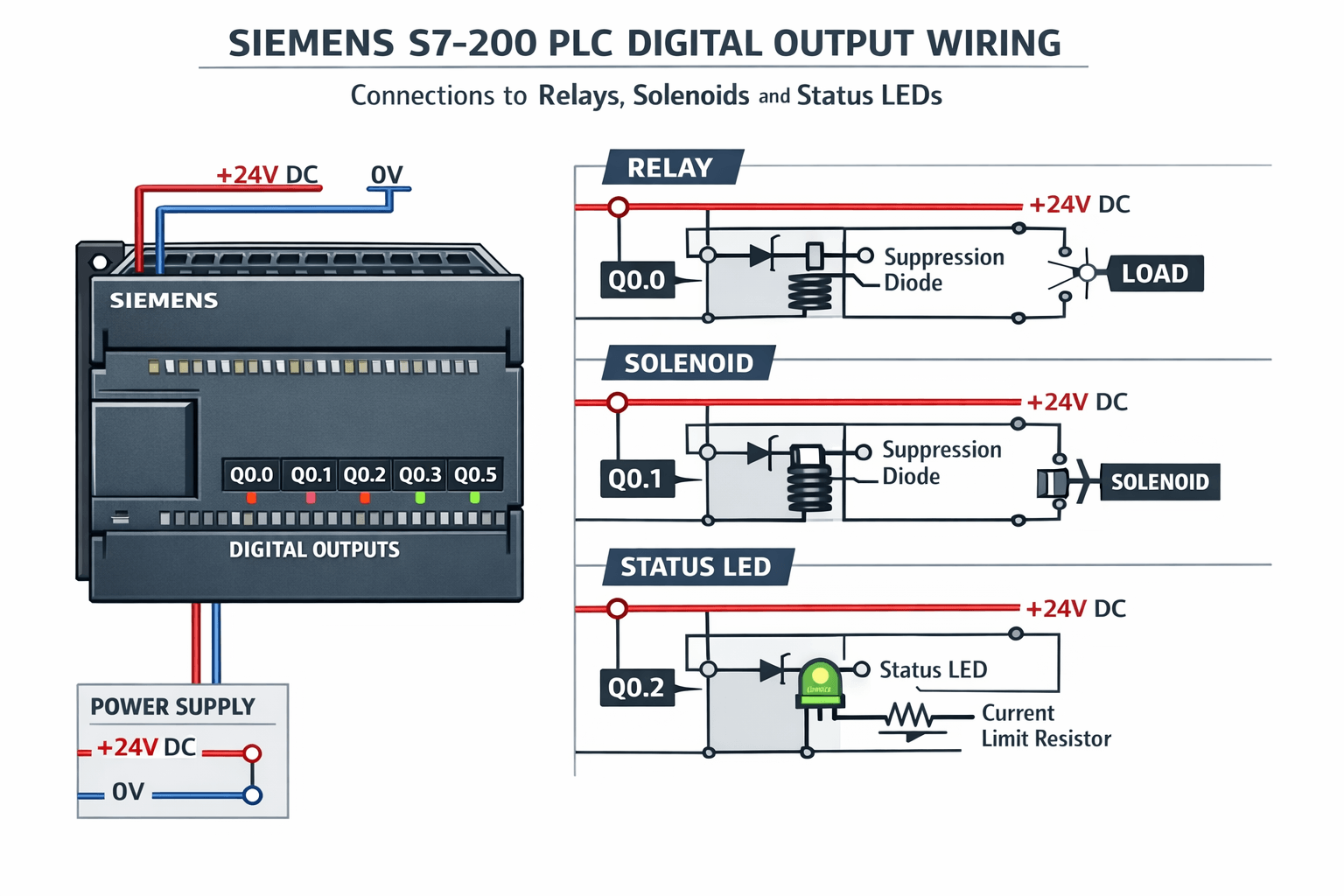
- Inspect external wiring and add flyback diodes for inductive loads.
- Check Special Memory bits: SMB5 (I/O errors) and SM0.2 (retentive data loss).
Real-World Insight: Forum users often trace intermittent output failures to power fluctuations or missing suppression on relays/contactors. Immediate output instructions (e.g., =I) can help bypass process-image delays in critical applications.
VICPAS Support: We provide compatible output module housings, connectors, and terminal blocks for quick replacement.
3. HMI Communication Failure and PC/PPI Connection Issues
Symptoms
STEP 7-Micro/WIN cannot connect to the PLC, or the HMI displays communication timeout or “no response” errors.
Fast Resolution Steps
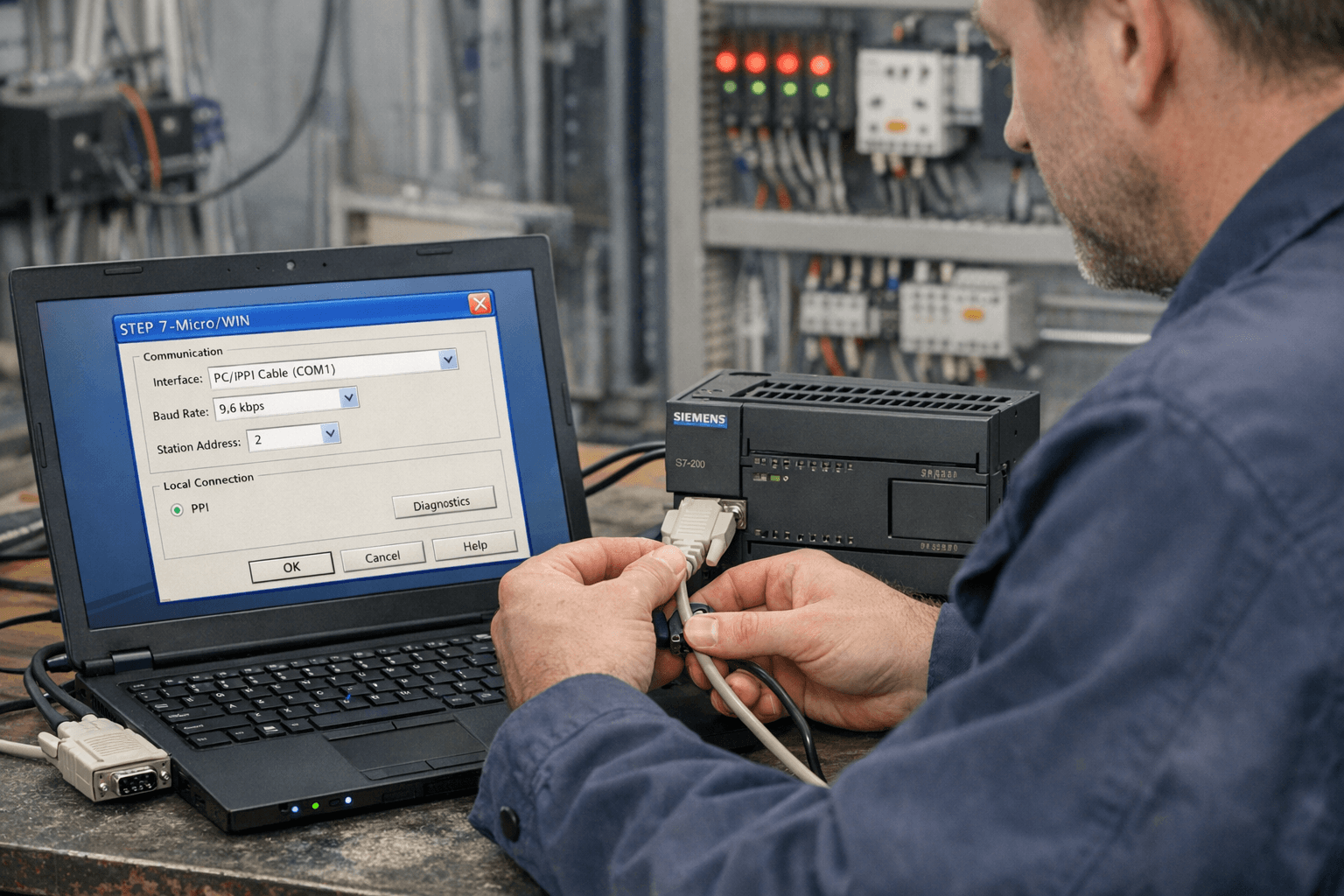
- Check PC/PPI cable DIP switch settings (usually switch 1 ON for 9.6 kbps).
- In Micro/WIN, configure Communications → Set PG/PC Interface and search baud rates.
- Set Port 0/1 to PPI protocol with unique station address (default CPU = 2).
- Use shielded twisted-pair cable and keep total length under 50 meters.
Expert Advice: Communication problems frequently stem from baud rate mismatch, driver conflicts, or poor grounding. Always test with the original PC/PPI cable when possible.
VICPAS Advantage: In addition to PLC parts, we supply compatible HMI touchscreens, keypad overlays, and communication accessories for complete system recovery.
4. RTC Clock and Data Retention Problems
Symptoms
The real-time clock resets after power loss, or retentive variables are cleared unexpectedly.
Solutions
- Connect online and set the clock via Micro/WIN PLC > Time of Day Clock.
- Use TODW instructions in the program to write to the clock buffer.
- Define retentive memory ranges in the System Block.
- Replace the battery cartridge every 2–3 years to maintain reliable backup.
5. Other Common Errors and Quick Fixes
- Connection lost after download: Clear PLC memory, match baud rates, and re-download the program.
- Watchdog timeout: Optimize scan time or insert WDR (Watchdog Reset) instruction.
- Indirect addressing error: Verify pointer initialization and address ranges.
- Expansion module errors: Check SMB5 and module identification bytes.
Useful Diagnostic Tools
- Status Chart for real-time variable monitoring
- Forcing function for safe I/O testing
- Diagnostic buffer for historical error review
Why Choose VICPAS for Your Siemens S7-200 PLC Needs
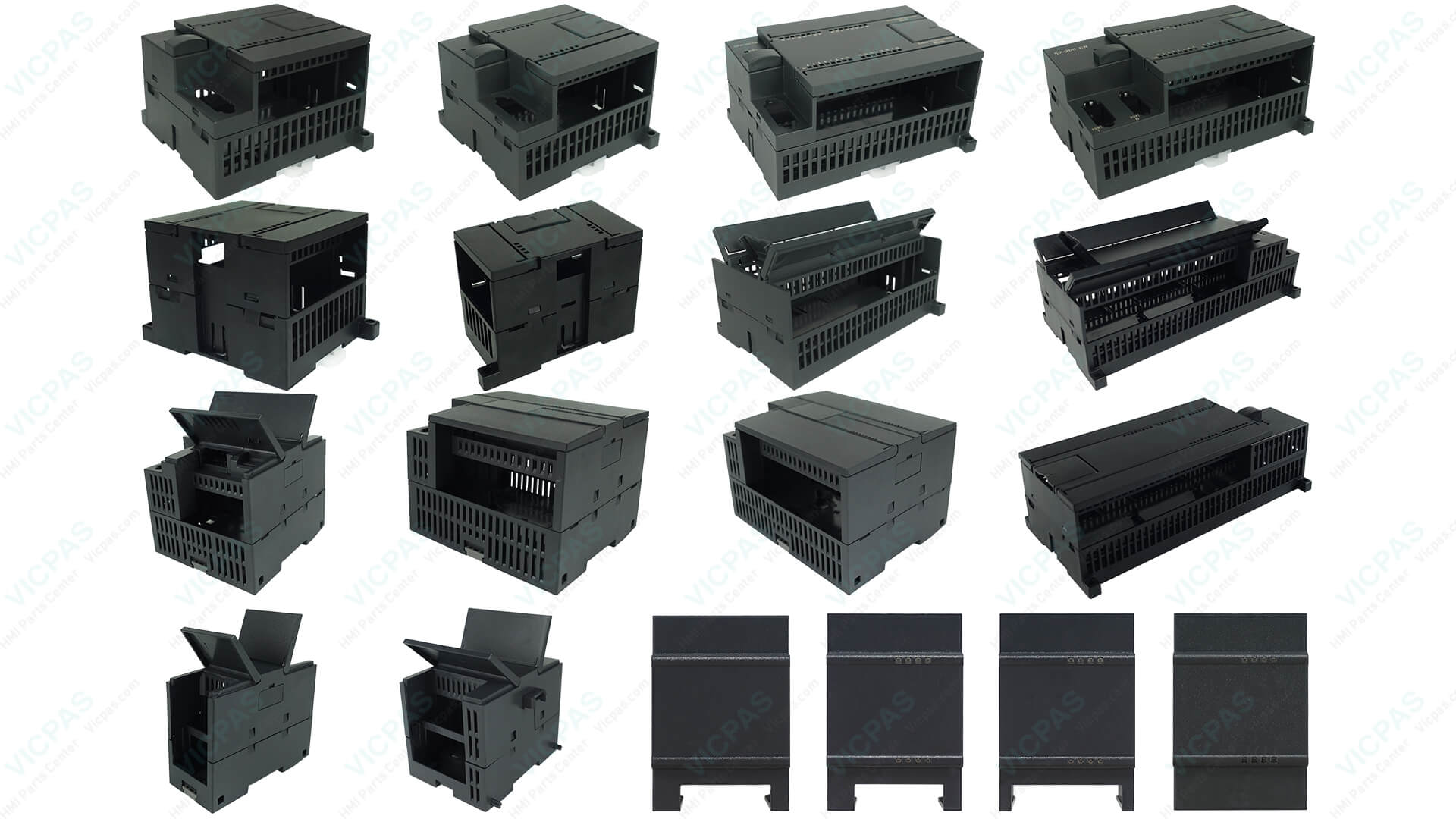
VICPAS Touch Technology Co., Ltd. is a professional supplier of industrial automation replacement parts with over 20 years of experience. We offer high-quality, factory-compatible parts for the Siemens Simatic S7-200 series, including plastic CPU housings, terminal covers, connectors, fixing screws, and more.
All parts are rigorously tested and backed by a 12-month warranty. We support small order quantities and fast global shipping.
Prevention Tips for Maximum Reliability
- Regularly back up your program and System Block settings.
- Implement proper grounding and EMI shielding.
- Add surge protection and suppression diodes for inductive loads.
- Schedule periodic battery replacement and Micro/WIN diagnostics.
References
- Siemens S7-200 System Manual – Hardware Troubleshooting and Appendix C (Error Codes)
- Siemens S7-200 Programmable Controller System Manual
- Industrial Monitor Direct – S7-200 SF LED Troubleshooting
- PLCtalk Forum – Siemens S7-200 PLC Discussion
- Reddit r/PLC – S7-200 Issues Thread
- Siemens SiePortal – Communication Issues
By following this guide, most common Siemens S7-200 PLC issues can be resolved quickly on site. For hardware failures requiring replacement parts, VICPAS is your reliable partner to minimize downtime.