Troubleshooting Common Siemens HT6 Errors and Faults
- Share
- Issue Time
- Dec 19,2025
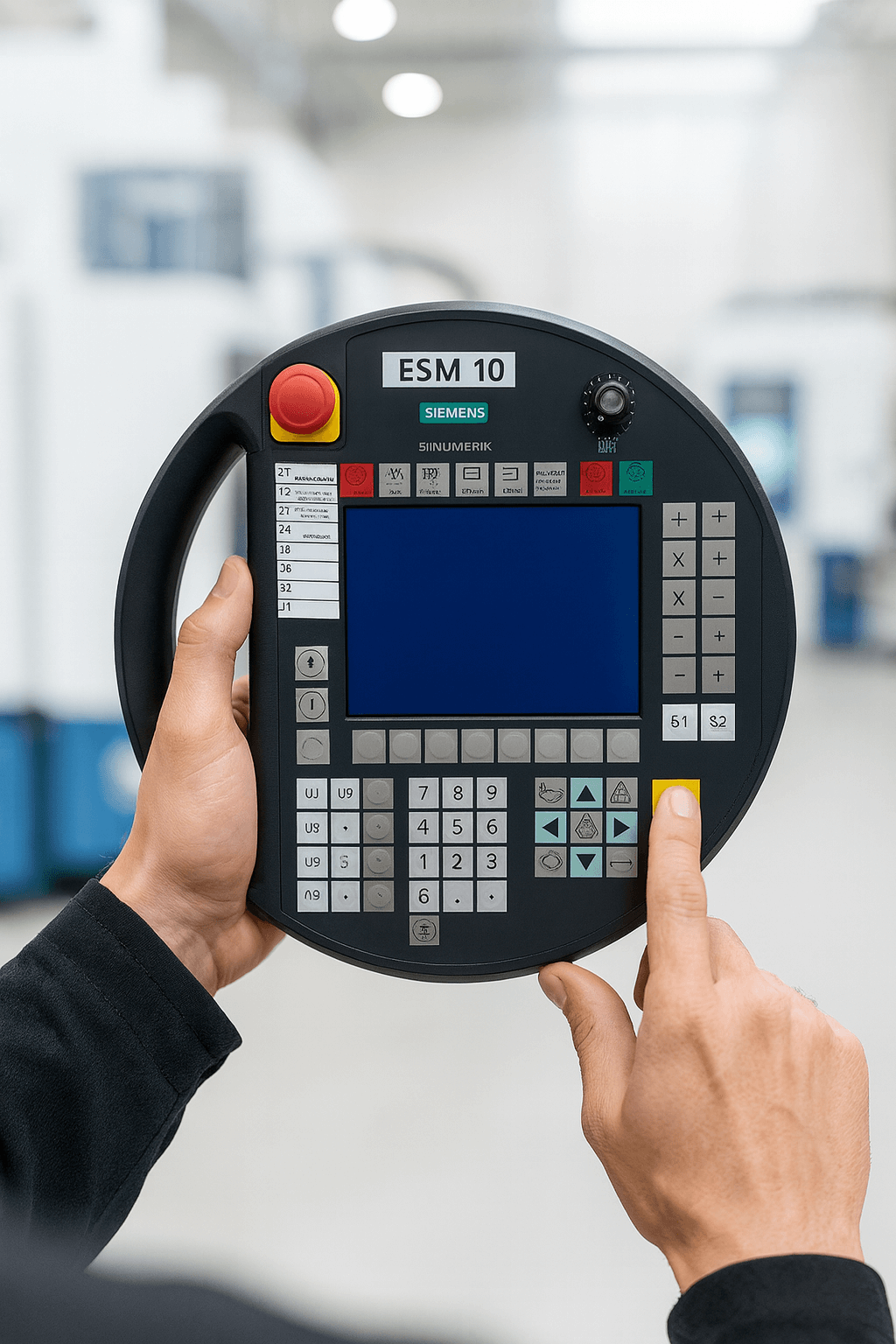
Troubleshooting Common Siemens HT6 Errors and Faults
A Comprehensive Guide from Vicpas – Your Trusted Partner for Siemens HMI Replacement Parts
Table of Contents
The Siemens HT6 (SINUMERIK HT6) handheld terminal is a robust and widely used operator interface for SINUMERIK CNC systems, particularly in machining centers and production lines. Despite its reliability, age, intensive use, and the fact that many HT6 models have reached end-of-life status mean that operators frequently encounter errors such as blank screens, communication failures, unresponsive touch, and boot-up issues.
At Vicpas, with over 20 years of specialization in HMI touch screens, membrane keypads, and industrial automation replacement parts, we have helped hundreds of customers worldwide resolve Siemens HT6 issues quickly and cost-effectively. We stock high-quality compatible replacement components for the Siemens HT6, including touch panels, protective overlays, display units, and connecting cables – all tested to meet or exceed original specifications.
This guide combines official Siemens documentation, diagnostic resources, and real-world field experience to help you diagnose and fix common Siemens HT6 faults. If DIY troubleshooting doesn’t resolve the problem, Vicpas offers affordable, fast-shipping alternatives to expensive OEM repairs.

1. Understanding Siemens HT6 Hardware Basics
The SINUMERIK HT6 is a handheld operator panel designed for SINUMERIK 840D sl and similar systems. Key features include:
- 7.5" TFT color touchscreen
- Integrated handwheel, override potentiometer, and emergency stop
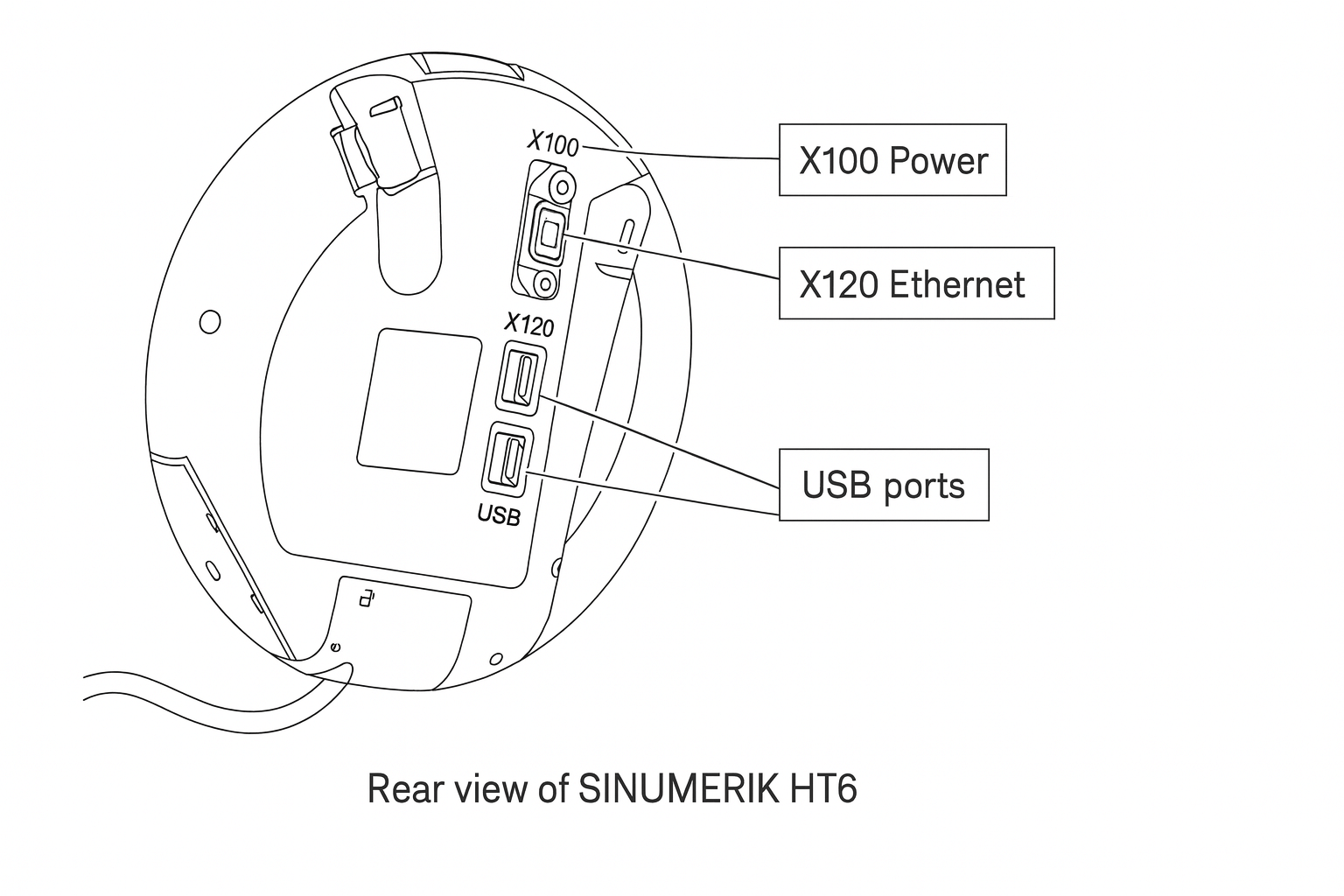
- Connection interfaces: Ethernet (X120), MPI/PROFIBUS (X130), USB, and power supply (X100)
- Rugged housing rated for industrial environments
Understanding the physical layout is essential for effective troubleshooting. Loose connectors, damaged cables, or worn touch surfaces are among the most frequent causes of failure.
2. Common Siemens HT6 Faults and Alarm Decoding
The most frequently reported Siemens HT6 issues include:
- Blank or black screen after power-on
- No response / frozen interface
- Communication errors (e.g., “Connection to NCU lost”)
- Touchscreen calibration drift or complete unresponsiveness
- Boot failure or endless restart loop
Siemens provides detailed alarm lists in their diagnostic documentation. Common relevant alarms:
- Alarm 300801 / 300802: Communication timeout – often caused by faulty Ethernet/MPI cable or loose connection
- Alarm 120201 / 120202: HMI startup errors – typically corrupted configuration or hardware fault
- Alarm 400000 series: Power supply or internal hardware issues
Quick symptom-to-cause mapping (based on Siemens alarm list and support articles):
| Symptom | Likely Cause | First Action to Try |
|---|---|---|
| Blank screen | Power supply failure, damaged backlight, faulty display cable | Check power connector and voltage (24V DC) |
| No communication | Broken or wrong cable, IP conflict, NCU port issue | Verify cable continuity, correct IP settings |
| Unresponsive touch | Worn/damaged touch panel, calibration loss | Recalibrate via SINUMERIK menu or replace touch glass |
| Unit does not power on | Internal power board failure, emergency stop circuit | Bypass E-stop temporarily for testing |
3. Step-by-Step DIY Troubleshooting for Siemens HT6
Follow these practical checks before considering repair or replacement:
- Power and Connections
Confirm stable 24V DC supply and correct polarity at X100.
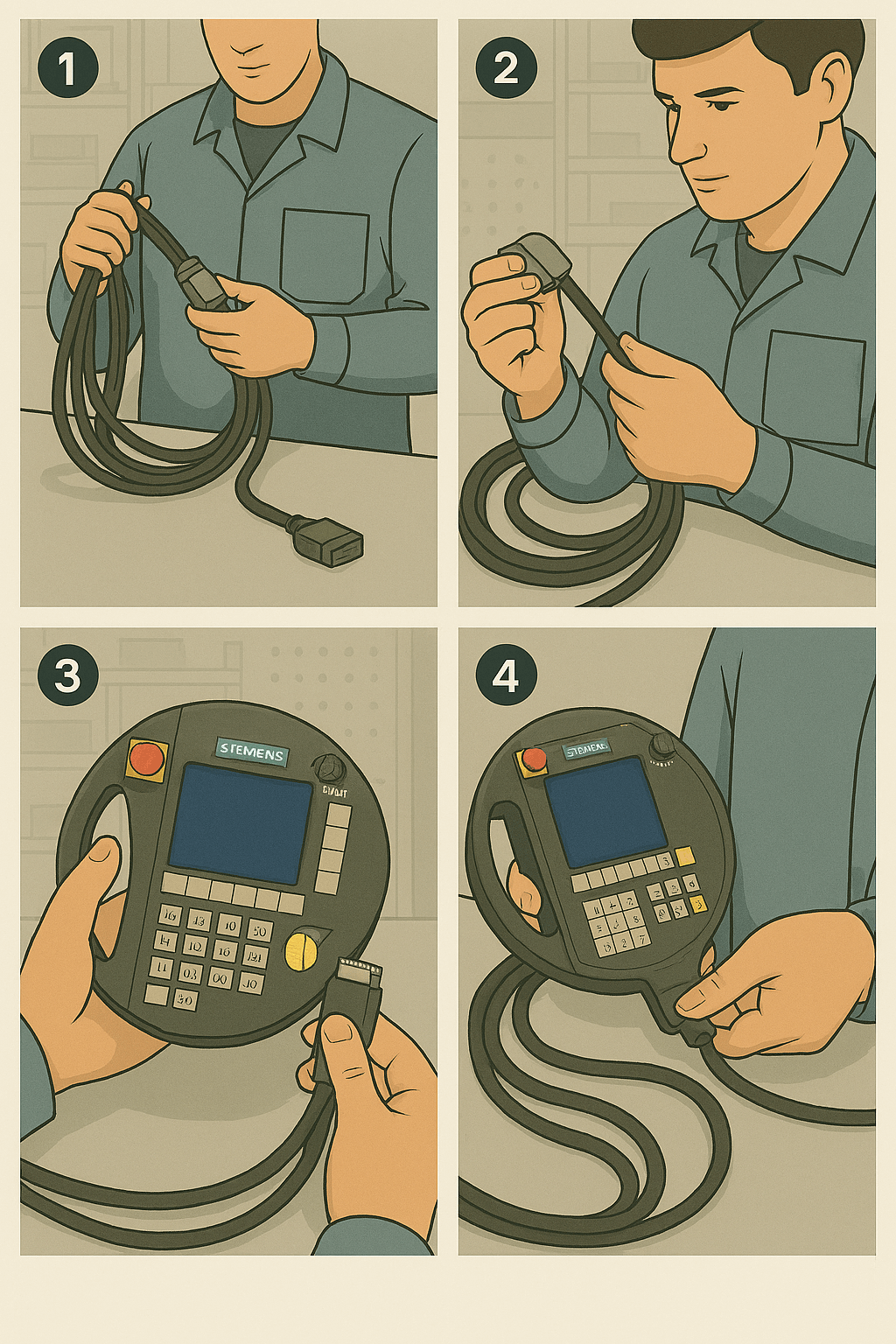
Inspect all cables for damage, especially the flexible handheld cable which is prone to wear.
Reseat all connectors firmly. - Basic Reset
Power cycle the HT6 and the connected NCU.
Perform a cold restart via the SINUMERIK operating menu if accessible. - Communication Check
Verify IP address and subnet match between HT6 and NCU (default HT6 IP often 192.168.214.1).
Ping the NCU from a connected PC to isolate the issue. - Touchscreen Calibration
If the screen displays but touch is inaccurate, enter service mode and recalibrate (refer to operating instructions Doc ID: 10804945). - Visual Inspection
Look for cracked touch glass, liquid ingress, or burnt components inside (requires opening the unit).
4. When DIY Troubleshooting Isn’t Enough
Many Siemens HT6 units are now discontinued or in “limited support” phase, making original spare parts expensive and hard to source. Board-level repair can be time-consuming and may not guarantee long-term reliability.
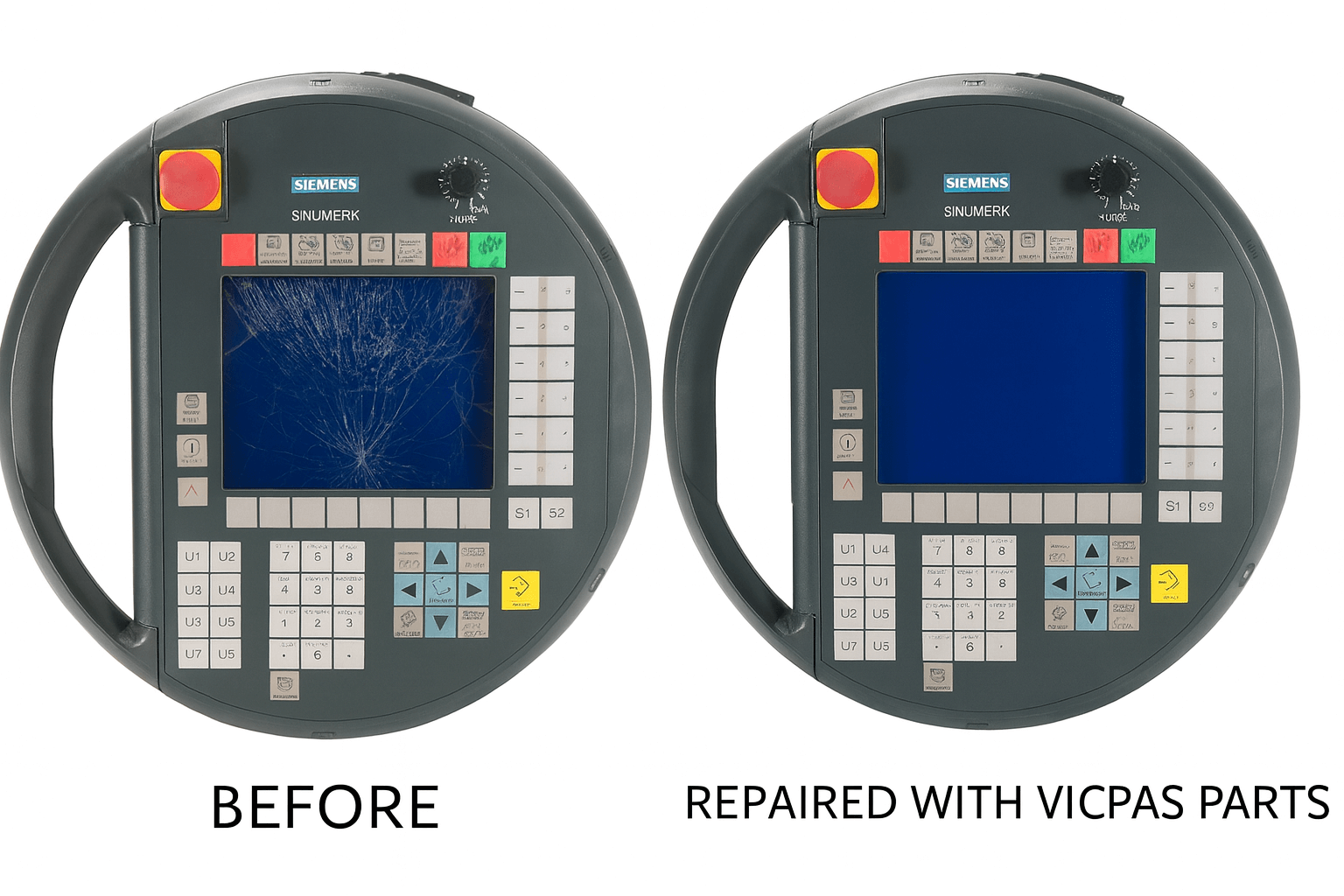
This is where replacement components become the most cost-effective solution. Vicpas specializes in high-quality compatible parts for the Siemens HT6, including:
- Precision touch screen digitizers
- Protective overlay films
- Complete front panel assemblies
- Replacement connecting cables
All parts come with a 12-month warranty, rigorous quality testing, and worldwide fast shipping. Customers regularly report that installing a Vicpas touch panel restores full functionality at a fraction of OEM repair cost.
Browse our Siemens HT6 compatible parts here
Conclusion
Effective troubleshooting of Siemens HT6 errors starts with understanding the hardware, systematic checks, and accurate alarm interpretation. While many issues can be resolved on-site, aging units often require component replacement for reliable long-term operation.
Vicpas has been a trusted global supplier of HMI replacement parts since 2008, helping manufacturers minimize downtime and control maintenance costs. Whether you need a single touch screen or bulk spares for your Siemens HT6 fleet, our team is ready to assist.

Contact us today or visit our HT6 product catalog to get your system back to full performance quickly and affordably.
Vicpas – Quality HMI Parts, Expert Support, Fast Delivery Worldwide.
References
- SINUMERIK HT6 Operator/Technical Manual – Official PDF
- SINUMERIK HT6 Operating Instructions – Siemens Industry Online Support (Doc ID: 10804945)
- SINUMERIK HMI Communication Faults and Diagnostics – Siemens Support
- SINUMERIK Alarm List and Fault Messages – Siemens Alarm List
- Siemens Support Forum – “SINUMERIK HT6 not responding after power-on” – Forum Thread
- PLCTalk Forum – Siemens HMI Handheld Terminal Blank Screen Troubleshooting – Discussion
- CNCzone Forum – SINUMERIK Handheld Terminal Communication Errors – Siemens Forum Section
- BVS Electronics – Siemens SINUMERIK HT6 Repair Service – Repair Information
- Synchronics – Siemens SINUMERIK HT6 Spare Parts – Spare Parts
- Reddit r/PLC – Community Discussions on Siemens SINUMERIK HMI Issues – Search Results