Siemens HT2 Repair and Maintenance: DIY Guide and Professional Services
- Share
- Issue Time
- Dec 4,2025
Siemens HT2 Repair and Maintenance: DIY Guide and Professional Services
Table of Contents
- Understanding the Siemens HT2: Hardware Basics
- Common Siemens HT2 Faults and Symptoms
- DIY Guide: Step-by-Step Siemens HT2 Troubleshooting and Repair
- When DIY Isn't Enough: Professional Siemens HT2 Services
- Preventive Maintenance for Long-Term Siemens HT2 Reliability
- Ready to Get Your Siemens HT2 Back Online?
- References
As a leading provider of industrial automation solutions with over 20 years of expertise in HMI components, VICPAS Touch Technology Co., Ltd. understands the critical role that Siemens HT2 handheld terminals play in precision machining operations. The Siemens HT2 (model 6FC5303-0AA00-2AA0) is a robust hand terminal designed for SINUMERIK 840D sl/828D systems, offering intuitive control for machine tools like milling, drilling, and turning machines. However, like any high-performance device, it can encounter issues such as display failures, connection errors, or unresponsive controls—disrupting workflows and costing downtime.
In this comprehensive guide, we'll cover everything from DIY troubleshooting to professional repair options, drawing on official Siemens documentation, real-world user experiences, and proven service strategies. Whether you're a maintenance technician or an operator, this resource empowers you to restore your Siemens HT2 efficiently. At VICPAS, we specialize in refurbished and replacement parts for Siemens HT2, including membrane keypads, LCD displays, and plastic housings, ensuring minimal downtime with our 6-12 month warranty and global shipping.
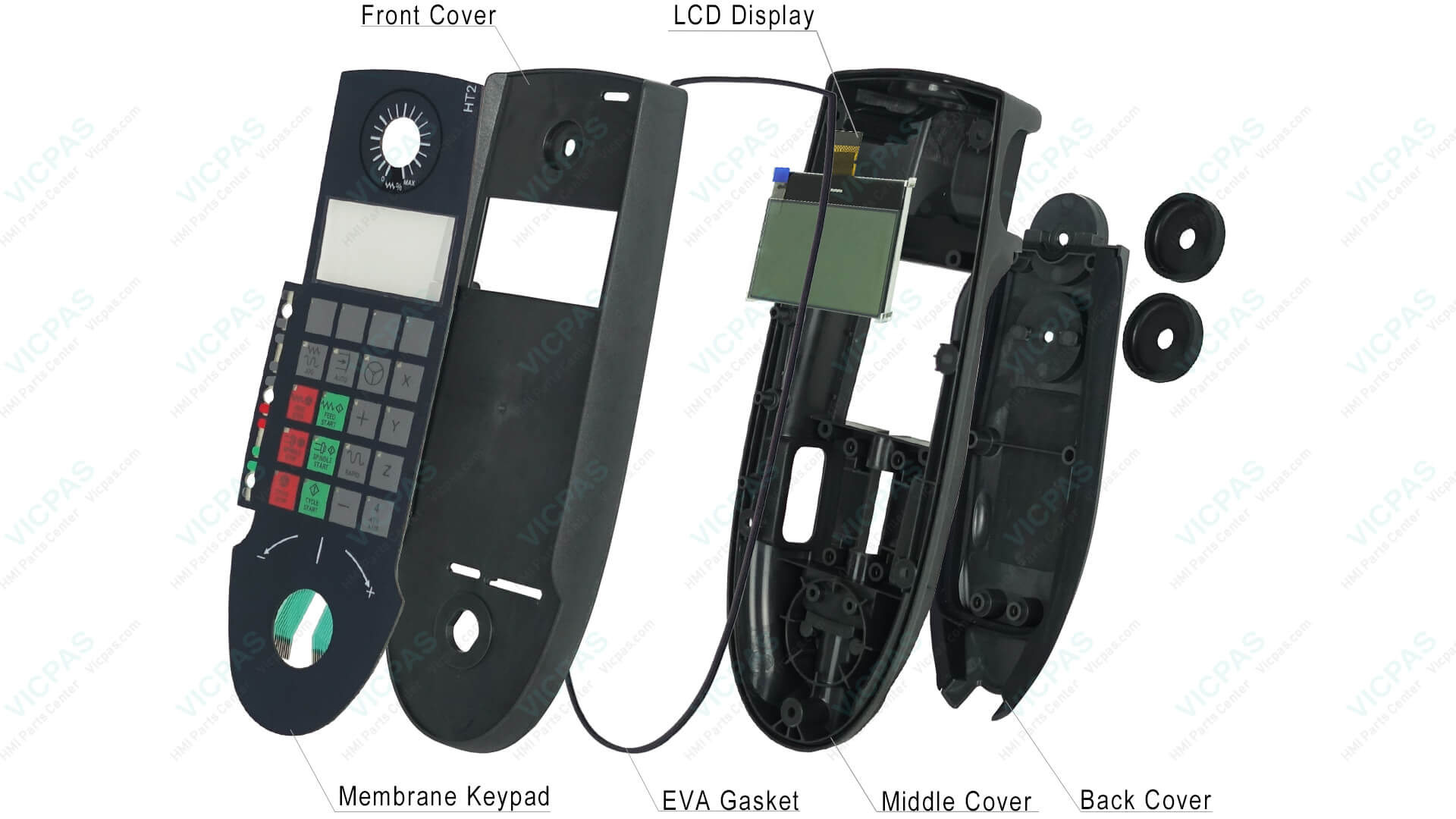
Exploded diagram highlighting key Siemens HT2 components: Front Cover, LCD Display, Membrane Keypad, EVA Gasket, Middle Cover, and Back Cover.
Understanding the Siemens HT2: Hardware Basics
The Siemens HT2 is a portable operator panel with a compact design for on-the-spot machine control. Key hardware features include:
- Display: 128 x 64 pixel LC screen for clear status readout and menu navigation.
- Keys: 20 ergonomic keys—15 with predefined functions (e.g., axis selection, feed override), blue special function keys, and freely assignable T1-T4 keys (T4 defaults to RESET). A numerical keypad and system keys enhance usability.
- Connections: Supports Profinet (preferred) and Profibus via PN Basic or PN Plus adapters. PORT1/PORT2 Ethernet ports connect to NCU controllers.
- Usage Scenarios: Ideal for manual positioning, jogging axes, and diagnostics in CNC environments like 840D sl systems.
Jeffrey Proper initialization is crucial: Power on with the S2 rotary switch set to position 2, ensuring LED indicators on the control box light up fully for confirmed connectivity.
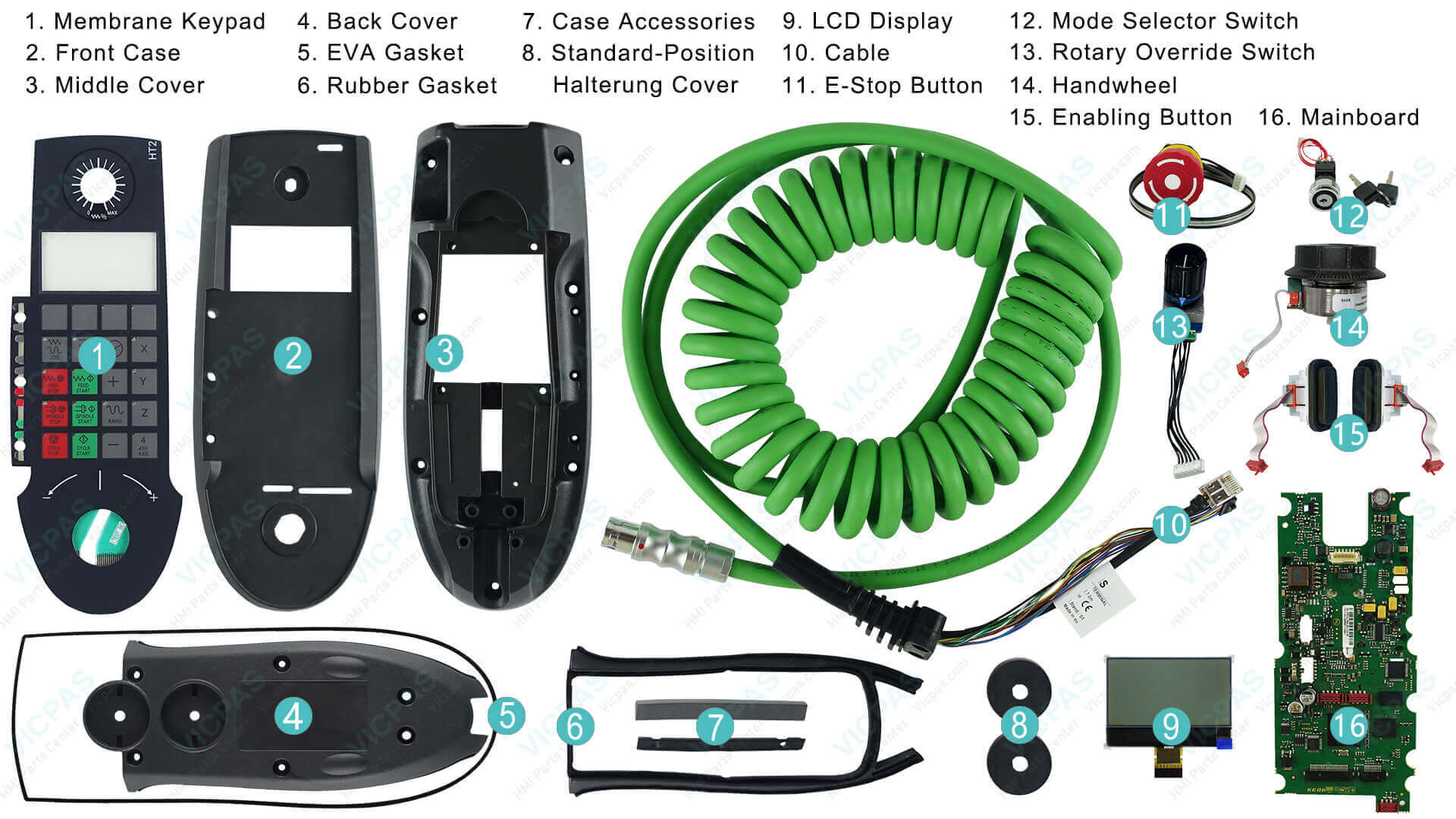
At VICPAS, our inventory includes genuine-compatible parts like the HT2 membrane keypad and plastic housing, sourced through robust supply chains for seamless replacements.
Common Siemens HT2 Faults and Symptoms
Based on user forums and technical discussions, HT2 issues often stem from hardware wear, connection problems, or configuration errors. Here's a breakdown:
| Fault Symptom | Possible Causes | Frequency (User Reports) |
|---|---|---|
| Screen stays lit but no numbers/letters display; button lights flash | Faulty Profinet/Profibus cables, power supply issues in control box, or initialization failure | High – Common in dusty environments |
| Startup shows "HT2-TEXT1/2" only; all buttons flash | Hardware damage to HT2 body or network/IP allocation errors | Medium |
| No response from handwheel (e.g., acceleration changes or slow refresh) | Communication faults, PLC data block misconfiguration, or mcp_client.ini setup errors | Medium – Often software-related |
| Display abnormalities (e.g., PN-HT2 not normal) | Loose Ethernet cables/joints or physical connection degradation | Low to Medium |
These faults highlight that 60-70% of issues are resolvable via DIY checks, while others require deeper intervention.
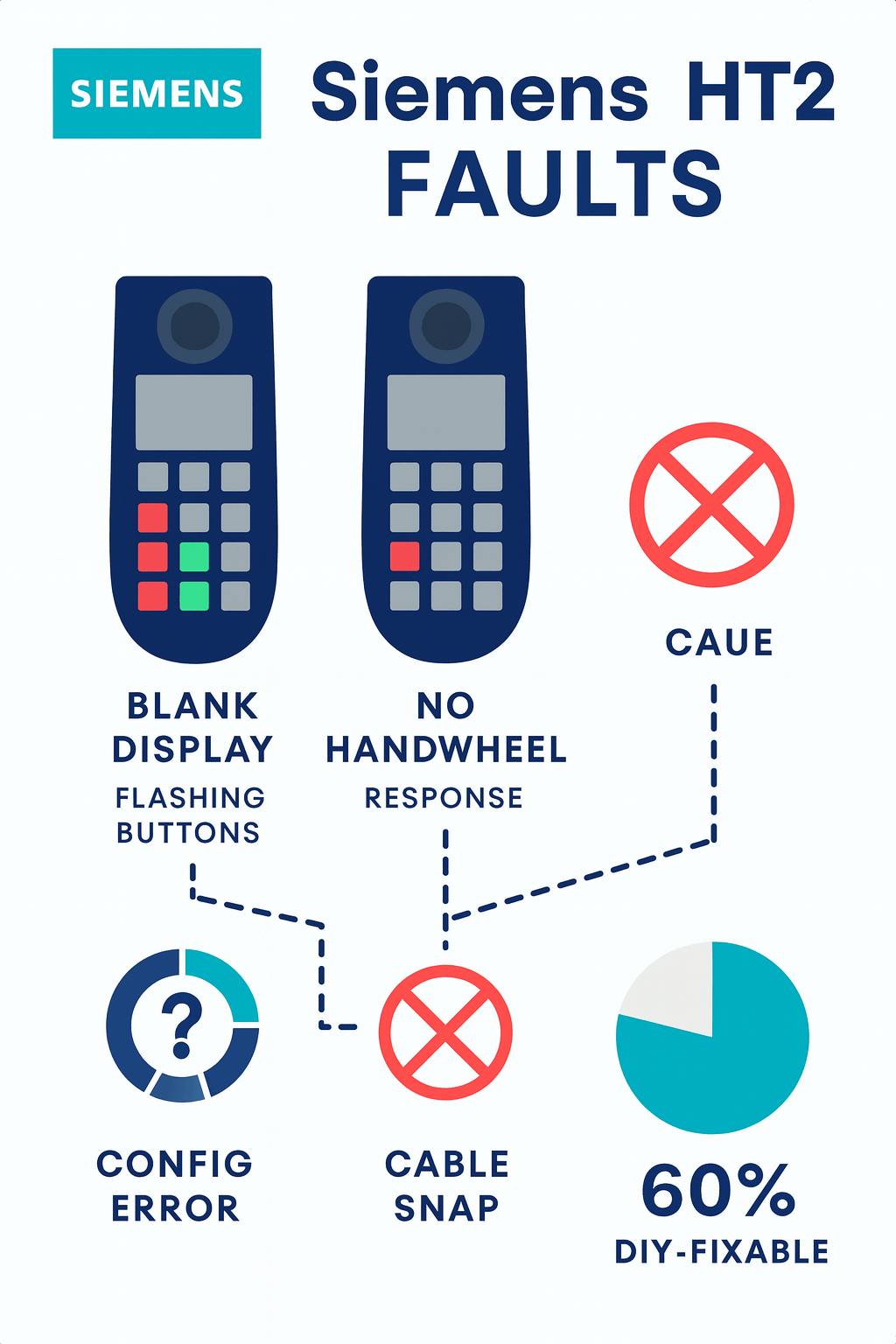
Infographic illustrating common Siemens HT2 faults and DIY-fixable rate.
DIY Guide: Step-by-Step Siemens HT2 Troubleshooting and Repair
Empower your team with these hands-on steps, informed by Siemens debugging insights and community fixes. Always power down and unplug before starting.
1. Basic Visual and Power Checks (5-10 mins)
- Inspect cables for frays or loose ends. Replace Ethernet/Profibus cables if damaged.
- Verify control box LEDs: All six should illuminate on power-up for correct Profinet connection.
- Clean the LC display and keys with isopropyl alcohol to rule out dust/debris.
2. Connection and Initialization Setup (15-20 mins)
- Profinet Adapter Installation:
1. Connect HT2 to NCU via PN Basic/PN Plus box: PORT1 (outgoing Ethernet), PORT2 (to NCU).
2. Set IP address using DP switches (hexadecimal; low bit near edge).
3. Use VNC Viewer on NCU to confirm IP matches. - PLC Configuration:
1. In FB1, set HHURecGDNo:=35 (or MCP2 BusAdr:=35 for HT2 as MCP2).
2. Copy mcp_client.ini from card\siemens\sinumerik\mcp_client to card\users\sinumerik\mcp_client.
3. Extract TOOLBOX files (DB/FB) to application for custom keys. - Restart system for self-diagnosis. If "HT2-TEXT1/2" persists, check DIP switches for address conflicts.
3. Advanced Hardware Diagnostics (20-30 mins)
- Test with a known-good cable: Swap Ethernet joints to isolate communication faults.
- For unresponsive handwheel: Verify MCPBusType in PLC and no bus overlaps.
- If keys fail: Inspect membrane for wear—VICPAS offers affordable replacements with plug-and-play compatibility.
Tools needed: Multimeter, spare cables, VNC software. Success rate: 70% for connection issues.
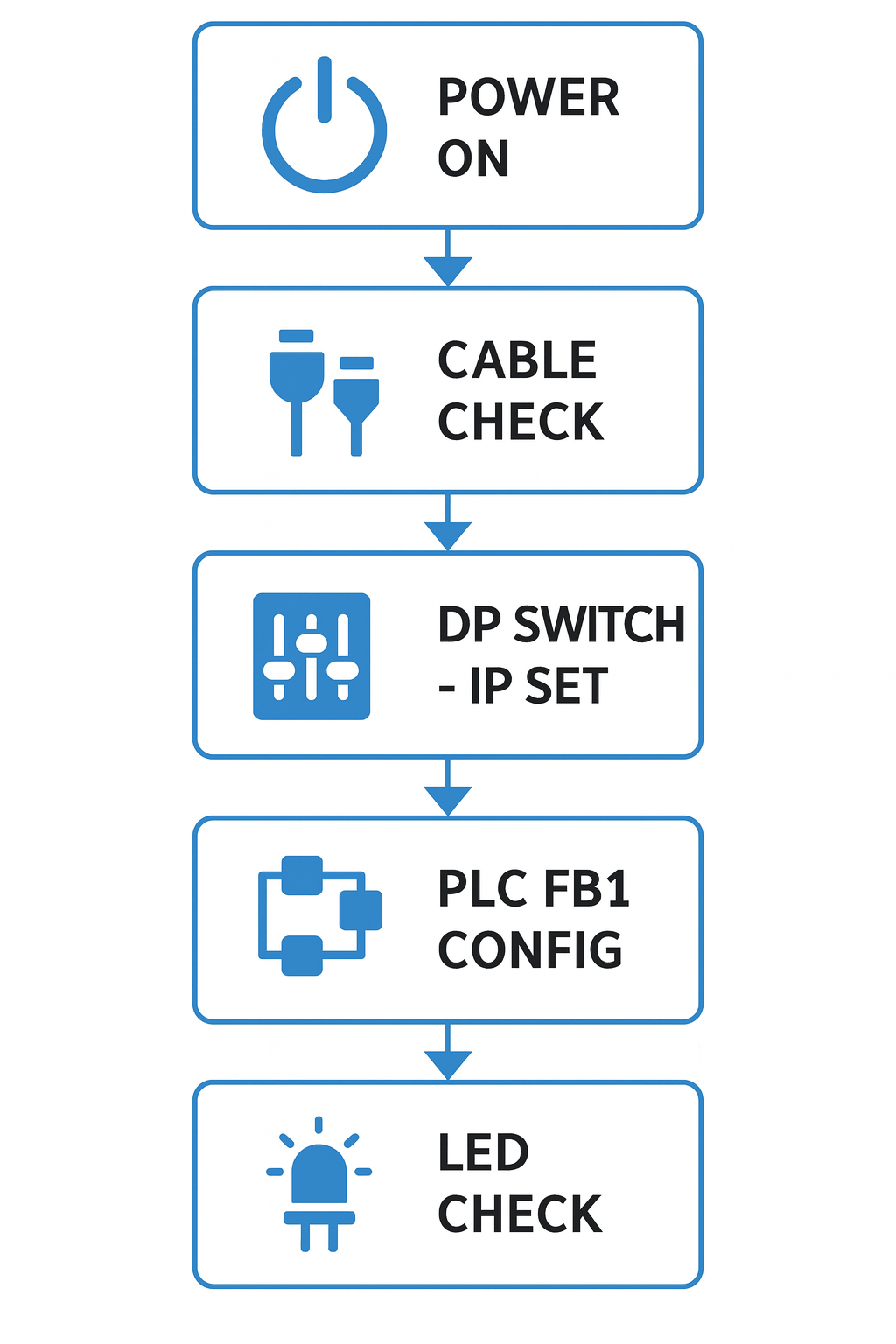
Step-by-step flowchart for Siemens HT2 troubleshooting.
When DIY Isn't Enough: Professional Siemens HT2 Services
For persistent hardware failures—like damaged electronics or aging plastic housings—turn to certified experts. Third-party providers offer refurbishment with warranties, often faster than OEM waits.
- Refurbished Units & Spares: Stocked options reduce costs by 40-60% vs. new.
- Component-Level Repairs: Electronic boards, mechanical keys, and full rebuilds.
As a trusted Siemens partner, VICPAS excels here. Our 80,000+ inventory includes the 6FC5303-0AA00-2AA0 HMI Keyboard Membrane and Plastic Housing—direct HT2 compatibles for quick swaps. With no MOQ, same-day DHL/UPS shipping, and 1-year support from our skilled engineers, we minimize your downtime. Contact us for a fast quote: sales@vicpas.com or visit VICPAS Siemens HT2 Parts.
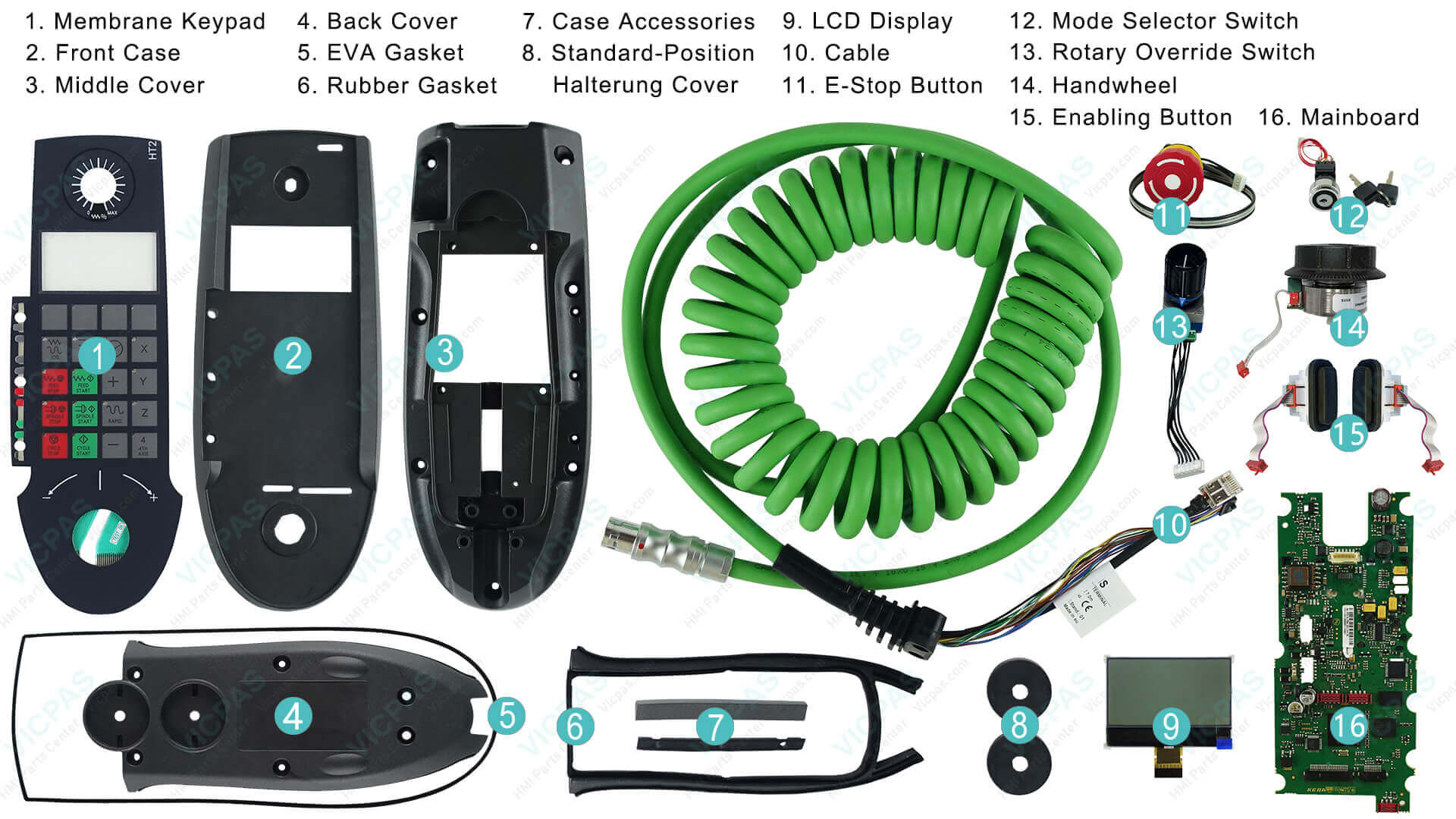
High-quality replacement parts for Siemens HT2 – Click image to view product details on VICPAS.
Preventive Maintenance for Long-Term Siemens HT2 Reliability
- Schedule quarterly checks: Clean ports, verify configs, and log LED statuses.
- Store in dry, dust-free areas to prevent oxidation.
- Update firmware via Siemens tools for optimal performance.
Following these, HT2 lifespan extends 2-3x, per field reports.
Ready to Get Your Siemens HT2 Back Online?
Don't let faults halt production—start with our DIY guide or reach out to VICPAS for expert support. As your go-to for Siemens automation parts, we're committed to reliability and value. Request a Quote Today and experience why thousands trust us for HMI solutions.
References
- Siemens Official Manual: SINUMERIK HT 2 Equipment Manual – Hardware & Connections
- Zhaoplc Forum: HT2 Display Fault Discussion
- Siemens China Forum: 840Dsl HT2 Debugging Guide
- Siemens Q&A: PN-HT2 Display Troubleshooting
- Zhaoplc Forum: HT2 Startup Text Issue
- Zhaoplc Forum: HT2 Handwheel Response Problems
- SPEA-Servis: HT2 Repair Services
- Allmendinger.eu: HT2 Electronic/Mechanical Repairs
- YorkControls: HT2 Refurbished & Spares
- Zhaoplc Forum: HT2 Manual & Initialization Requests
*This guide is for informational purposes; consult Siemens for official support. VICPAS provides independent parts and services.*